meshfox
 /\_/\
( ¬‿¬ )──●──●──●
  c c
Website · GitHub · Download binary
Install on Linux/macOS in one line:
curl -fsSL https://raw.githubusercontent.com/orofarne/meshfox/main/scripts/install.sh | sh
Or build and install from source yourself — this button is a ```button fence (see SPEC.md's "Button fences"): no code of its own, just a shortcut to "Install" under Development below, runnable from anywhere via meshfox run install-from-source too.
🔨 Install from source
An interactive canvas: a hierarchical, node-based document where nodes hold Markdown, and code blocks inside that Markdown can be run.
Meshfox pulls together several documentation patterns that are usually spread across separate tools into one file format: the mindmap-style canvas of Miro and Obsidian, Livebook’s lightweight markdown-compatible storage, code-in-document execution from Jupyter Notebook and Livebook, and Make’s dependency graph for running scripts. A built-in Starlark constraint system (meshfox check) lets a canvas enforce its own consistency rules, and a canvas can be exported to a static HTML site or a PDF (both experimental — see Usage below).
Status: early bootstrap.
This document is itself a valid meshfox canvas — every ## section here is a node, nested under this root. See SPEC.md for more details.
Concept
- A project is one canvas: a tree of nodes starting from a single root node.
- From the root, large section nodes branch off (e.g. one section per feature).
- From sections, further block nodes branch off. Blocks hold Markdown.
- A canvas is stored as a single, plain
.mdfile — node metadata (ids, positions, edges) lives in HTML comments, so the file still renders sensibly in GitHub or any plain Markdown viewer, and diffs cleanly in git. - Markdown inside a block can contain fenced code. A fence can be marked runnable; running it executes the code and (optionally) writes the result back into the same node, right under the code, so nobody has to re-run it just to see what happened last time.
- A runnable fence can declare
deps=on other blocks — running it runs its whole dependency chain first,make-style, with nothing run twice. Blocks can also share document-scoped config values (declared once asmeshfox:var), each block opting in individually via its ownenv=attribute — so running one block never prompts for a variable only some other block needs. A```buttonfence is the samedeps=/name=/default=machinery with no real code of its own — a prominent shortcut button, captioned by its own body (and, vianame=/default=, a short CLI alias) for a chain that lives elsewhere in the document — see SPEC.md's "Button fences". - Three ways to interact with the same files:
- a browser UI (canvas view + block runner) backed by a small Rust server — opens read-only, so pulling up a canvas to look around never one-click-modifies it: running a block is always allowed (you're still explicitly clicking "run", and it's the whole point of a canvas), but a
cached block's output isn't written back to the file until an explicit "Edit" button is clicked, which also unlocks dragging, resizing, and saving layout. Output streams into the browser live as the block runs (not just once it's finished), and a running block gets a Kill button, for when one hangs. - a CLI that runs blocks non-interactively,
make-style, for use in scripts/CI —meshfox listprints every runnable block as a tree, so there's no need to go spelunking through the file to find out what's runnable.meshfox runstreams output live too (the same async, killable executor as the browser UI); Ctrl+C kills whichever step is currently running, whole process group and all, and stops there — whatever earlier steps in the chain already completed stays cached. - a terminal UI (
meshfox tui) — the browser's tree-and-block-runner experience without leaving the terminal: browse the node tree, read a node's rendered body (syntax-highlighted code, images), and run blocks with the same live streaming/kill/cache behavior as the other two. See "Terminal viewer" under Usage below.
- a browser UI (canvas view + block runner) backed by a small Rust server — opens read-only, so pulling up a canvas to look around never one-click-modifies it: running a block is always allowed (you're still explicitly clicking "run", and it's the whole point of a canvas), but a
- Beyond editing and running: a built-in Starlark constraint system (
meshfox check) lets a canvas validate its own consistency, and a canvas can be exported to a static HTML site or a PDF (both experimental — see Usage below).
File format
meshfox canvas format
Reference spec for .canvas.md. Also available at any time via meshfox spec.
A canvas is a Markdown outline: heading nesting is the node tree; bookkeeping (id, position, extra edges) lives in HTML comments, invisible to any normal Markdown viewer. Model comes from JSON Canvas (jsoncanvas.org); this format moves the same tree/graph-of-Markdown-nodes model into plain Markdown instead of JSON, for readable diffs and hand-editability.
File structure
#(H1) — exactly one per document. Content up to the first##is the root node. Always a node, no marker needed (it's the only H1).##,###, ... — a heading is a node only if immediately followed by a<!-- meshfox:node ... -->comment. Without one, the heading (and everything under it) is just prose inside its enclosing node — headings can be freely used for sub-structure without fragmenting the canvas. A node's parent is the nearest enclosing shallower node heading (or root) — unless overridden byparent=(below).<!-- meshfox:node ... -->— right after a heading line. Turns the heading into a node and holds its bookkeeping askey="value"attributes:id,type,x,y,w,h,color,tags,parent,fold,edgeLabel,createdAt,updatedAt(see "Timestamps" below). All optional; a bare<!-- meshfox:node -->is enough.iddefaults to a slug of the heading text; only write it explicitly for a stable handle that survives renames (e.g. because an edge references it). First write-back (running a cached block, saving layout) pins the id used, so identity is stable afterward.x/yare absolute document coordinates for every node except a direct child of agroupnode (see "Node types" below) — for a group member,x/yare relative to that group's ownx/yinstead (its own top-left corner), so moving the group moves every member with it without rewriting each one's stored position. A group's ownx/yis an optional anchor, draggable like any other node's — but itsw/hstay always derived from its members' own resolved boxes, never stored, even once it has an anchor.fold="true"orfold="false"overrides, for this one node only, whether the web UI shows it folded or expanded by default — see "Options" below for the document-wide default this overrides. Omitted (the default) means "no override": follow the document's own default.tags="a,b,c"is a comma-separated list of free-form labels — purely descriptive (no structural meaning), shown as small chips on the node in the web UI.parent="other-id"overrides the heading-nesting-implied parent — needed once a subtree is already######(H6, CommonMark's ceiling: headings can't nest any deeper), where a further child has nowhere left to go but another######heading, which plain heading nesting alone would read as a sibling rather than a child. Nesting past H6 keeps working — every deeper node just keeps writing######and disambiguates withparent=instead of heading depth. Written automatically ("add child" in the UI reaches for it exactly when it's needed); hand-editing it is only for restructuring an already-flattened deep subtree.edgeLabel=is arrow text for the structural edge from this node's own parent into it — the implicit nesting edge has no line of its own to carry attributes the way ameshfox:edgedoes (below), so it lives here instead, on the child end: "the label of the edge that points at me". Unlike ameshfox:edge, a structural edge has no color/style/arrowhead attributes of its own — just this one piece of text. Omitted means no label, same as every other optional attribute here.<!-- meshfox:edge from="other-id" ... -->— one per line, right after a node'smeshfox:nodeline. Declares an extra incoming edge from another node, for graphs that aren't a clean nesting tree. Any number allowed, in addition to the one implicit nesting-parent edge. Besidesfrom, an edge line accepts the same kind of optional styling attributes the web UI's on-canvas edge editor writes:label(arrow text),color(hex or a"1"–"6"preset, same palette as a node's owncolor),style("solid","dashed"— the default look when omitted — or"dotted"),arrowStart/arrowEnd("none"or"arrow"— an edge with neither set gets an arrowhead only atarrowEnd, matching the pre-styling default), andtags(comma-separated, same convention as a node's own). All are omitted from the line unless explicitly set — a plainfrom="other-id"with nothing else is exactly the old, pre-styling form. These extra (meshfox:edge) edges render as a curved connector in the web UI, distinct from the structural nesting tree's right-angle routing.<!-- meshfox:canvas -->— optional, first line of the file. Marks a plain*.mdfile as a canvas even though it isn't named*.canvas.md(used so this doubles as auto-discovery hint; not required for parsing — any correctly-structured file parses as a canvas regardless of name).
Timestamps
createdAt/updatedAt on meshfox:node are optional RFC3339 timestamps
(any valid offset, e.g. 2026-08-29T10:15:00Z or
2026-08-29T13:15:00+03:00) — a malformed value is a meshfox validate
error, same as an unknown type=. Both are absent by default, on every
document: meshfox is first and foremost a documentation format, and
automatic timestamp bookkeeping isn't something most documents want.
Automatic stamping is opt-in per document, via the auto-timestamps
option (see "Options" below).
createdAt— stamped automatically bymeshfox node add(and the web UI's "add child") at creation time, for a document that declaresauto-timestamps. Never rewritten afterward except by an explicitnode meta --created-at(for backfilling/importing existing data with a real historical date — works on any document,auto-timestampsor not).updatedAt— stamped automatically whenever a node's own body text actually changes:node body,node append, acached block's output being written back, the web UI's in-node editor. A body write that comes out byte-identical to what was already there (re-running an unchangedcached block, say) never touches it — so re-running a chain with no real output changes doesn't manufacture a diff on its own. Never touched by a pure position/style/tag change (node meta) — only body writes bump it, so it stays a signal of "when did this node's own content last change", not "when was this node last touched on the canvas at all". There's no way to set it directly (no--updated-atflag anywhere) — it wouldn't mean much once it stopped being trustworthy.
meshfox's own automatic stamps are always UTC (Z) — a hand-typed
--created-at may use any offset, but two auto-stamped values are always
directly, correctly string-comparable against each other regardless.
Mixing offsets (an auto-stamp and a hand-typed one with a different
offset) doesn't compare correctly as plain strings — see "Constraint
fences" below for a way around that (.created_at_ts/.updated_at_ts,
offset-independent by construction).
A document has to declare the auto-timestamps option (see "Options"
below) to get either stamp from either automatic path at all —
insert_child_node writes no createdAt, and set_node_body writes no
updatedAt, unless it's declared. An explicit node meta --created-at
works regardless of the option either way; it's a separate, deliberate
manual path, not gated by it.
Node types
type= on meshfox:node picks one of JSON Canvas's four kinds. Defaults to
(and is omitted for) text.
-
text(default) — freeform Markdown body. -
group— purely organizational; body must be empty. Children are whatever nests under it structurally (no separate containment mechanism); a direct child's ownx/yis relative to the group's, not absolute — seex/yabove. -
file/link— body must start with exactly one Markdown link on its own line,[label](target), optionally followed (after a blank line) by a plain-prose caption — inline formatting (bold/italic/inline code/links) is fine, but no block-level Markdown: no headings (including the setext===/----underline form), lists, block quotes, code fences, tables, images, thematic breaks, or raw HTML. Same-line trailing text right after the link's closing)is still rejected — a caption has to be its own paragraph. Afilenode also accepts two optional display attributes on itsmeshfox:nodeline:-
display="link"(default) ordisplay="code"—codeshows the target's own file content as a read-only, non-runnable syntax-highlighted preview instead of a plain clickable link. The file is read fresh from disk on every view, confined to the canvas's own directory tree (same boundaryincludetargets are resolved within) — never written back. -
lang="..."— syntax-highlighting language hint fordisplay="code"(e.g.lang="rust"). Optional; when omitted, the language is guessed from the target's file extension. Ignored whendisplayisn'tcode. -
interpreter="..."— a shebang-style command, e.g.interpreter="python3 -u"(word-split the same way a#!/usr/bin/env -S ...shebang line's own arguments would be — quoting is honored), to run againsttarget, making the node runnable:interpreter target(the target's path resolved relative to the canvas's own directory, confined to it — same boundarydisplay="code"/includetargets are resolved within). Optional; omitted means the node isn't runnable this way. The web UI's "▷ run" button (next to "expand", in a runnable node's title bar) invokes this the same way it does atextnode's default code block. A runnable code fence (see "Runnable code fences" below) can carry the sameinterpreter=attribute — this is that mechanism's origin.<!-- meshfox:node type="file" display="code" lang="rust" --> [main](./src/main.rs)<!-- meshfox:node type="file" interpreter="python" --> [seed data](./scripts/seed.py)
linknodes don't supportdisplay/code/interpreter— their target is an external URL, not something meshfox reads from or runs off disk. Alinknode accepts its own single attribute instead:-
preview="true"— fetches the target's OpenGraph metadata (title/description/image) and shows it as a card below the plain link, in both the web UI and the terminal viewer.false(the default, omitted from the file) shows just the plain link, same as before this attribute existed. Settingpreview=on a non-linknode is a parse error, same as an unknowntype=.Fetched over the network on first view and cached in memory for the life of the
meshfox view/meshfox tuiprocess — not persisted, not shared across processes, and never retried within that process once a fetch has failed. Since a canvas file'slinktargets are often attacker-controllable (the file itself may come from an untrusted source), the fetch is hardened against SSRF: onlyhttp/https, resolved addresses that are loopback/private/link-local/etc. are rejected before ever connecting, and redirects are followed manually with the same check re-run on every hop.<!-- meshfox:node type="link" preview="true" --> [meshfox](https://github.com/orofarne/meshfox)
-
-
include— same link-plus-optional-caption body asfile/link, but the target (another.mdor.canvas.mdfile) is spliced in dynamically by whatever consumer resolves includes — never written back to disk.run/validatesee the bare link (and caption, if any), same asfile/link. See "Includes" below.
Any other type= value, a non-empty group body, or a file/link/
include body that doesn't start with a single link (or whose caption
carries block-level Markdown) is a parse error (meshfox validate catches
these, plus a missing/cyclic/unparseable include target).
There's no node type for a constraint contract — a Starlark check is an
embedded fence living in any node's ordinary body, alongside its prose and
runnable code, same as a ```bash name="..." fence. See "Constraint
fences" below.
Includes
type="include" dynamically splices another file's content into this
node, resolved fresh every time a consumer asks for it (e.g. the server,
before serving GET /api/canvas to meshfox view) — nothing is ever
written into the including file. run/validate operate on a single
file's raw text and never resolve includes; only validate reaches far
enough in to catch a broken target, a parse error in it, or a cycle.
The target is told apart as a canvas or plain Markdown the same way
auto-discovery already does: .canvas.md suffix, or a plain .md file
that opens with the meshfox:canvas marker.
- canvas target — parsed and spliced in as real children. Every
spliced node's
idis namespaced{include_id}/{original_id}to avoid collisions with the including document (and with any other include spliced in alongside it), and every level is shifted down by the include node's own level. The include node itself becomes agroup. - plain Markdown target — has no meshfox structure of its own, so it
becomes the include node's own body verbatim, except every heading in it
is shifted down (clamped to H6, CommonMark's ceiling) by the include
node's own level — so e.g. the target's top-level
#doesn't read as a second document root once nested. The include node becomestext.
An included file can itself declare includes; those are resolved too, with a cycle (A includes B includes A) reported as an error rather than recursing forever.
What crosses the include boundary
Position (x/y) needs no special handling: a spliced node's coordinates
are already relative to its nearest group ancestor (see "File structure"
above), and the include node itself becomes a group, so an included
subtree lays out correctly with no rewriting at all. A structural
meshfox:edge inside the included content is rewritten to the namespaced
id automatically, same as parent.
Two other features interact with includes very differently, because one runs against the raw single file and the other against the fully composed tree:
- Runnable-fence
deps=(see "Runnable code fences") never crosses an include boundary, deliberately:run/list/deps::validateall work on one file's raw text (per "Includes" above), so adeps=reference is only ever resolved against that same file's own, un-namespaced node ids. A block inside an included canvas can't be depended on from the including document, or vice versa — and an internal cross-nodedeps="other-node/block"reference inside a file stays valid whether that file is run standalone or spliced into a parent, precisely because it's never evaluated post-splice. - Constraint fences (see "Constraint fences") are the opposite:
meshfox view, the terminal viewer, andmeshfox checkall evaluate constraints against the fully resolved, composed document — so a constraint fence living inside an included canvas is checked there too, andself/doc.children()/.descendants()/.nodes_with_tag(...)navigation from it sees the same spliced-in tree everything else does. The one thing that doesn't survive splicing is a constraint script that hardcodes a literal node id (doc.node("some-id")): once the file it's written in gets included elsewhere, that id is renamed to{include_id}/{original_id}and the hardcoded reference stops resolving. Prefer relative navigation (self,.children(),.descendants()) or tag lookups (.nodes_with_tag(...)) over a literal id in any constraint that might end up inside an included file.
Runnable code fences
Lives inside a node's Markdown text, as fence-info-string attributes:
```bash name="build" cache
cargo build --workspace
```
-
name— identifies a fence formeshfox run/output caching; must be unique within its node. Normally required to make a fence runnable — except a node may have one fence with nonameat all, which is runnable too, implicitly named after its own nodeid. A second unnamed fence in the same node makes the omission ambiguous, so neither gets a name (same as any unnamed fence today — not an error, just not runnable). This is what letsmeshfox run/listskip a redundant trailing block-name argument that would just repeat the node's own id — see "CLI" below — and applies the same way to a fence whose explicitnamehappens to already match its node'sid. -
cache— optional flag (cacheorcache=true); opts into persisting output back into the file. -
default— optional flag (defaultordefault=true); marks this fence as its node's default block — the onemeshfox run <path-to-node>addresses without a trailing block name (see "CLI" below). A fence whose (implicit or explicit)namealready equals its own node'sidcounts as default too, without needing this flag. At most one block per node may be default (explicitly, implicitly, or one of each) —meshfox validatereports a conflict as an error. -
deps— optional, comma-separated list of other blocks this one runs after. Each entry is either a bare block name (a block in the same node) ornode-id/block-name(a block in another node, addressed by nodeidthe same waymeshfox:edge from=addresses nodes). Running a block always runs its full dependency chain first, automatically — each dependency's owndepsare resolved transitively, in order, with no block run twice even if several blocks in the chain depend on it. A cycle, or adepsentry naming a block that doesn't exist, is ameshfox validateerror. A trailing!on an entry (deps="build, schema/migrate!") ties that dependency's own web UI/TUI session-freshness decision to this block's: whenever this block ends up running for real this pass (not skipped as "already fresh"), the!dependency is forced to run for real too, regardless of its own fingerprint oralways; when this block is itself skipped, the!dependency is left to its own normal freshness decision instead — seealwaysbelow for the plain (unconditional) alternative, and why a!edge exists as a separate mechanism from it. -
env— optional, comma-separated list of declaredmeshfox:vars (see "Variables" below) this block wants in its own process environment. Each entry is a bare name (pass the declared variable through under the same name) orlocal=name(expose it under a different name in this block's own environment) — a leading$on the variable-name side is accepted and stripped, but purely cosmetic:env="$X,LOCAL=$Y"andenv="X,LOCAL=Y"mean exactly the same thing. A block with noenv=never resolves or prompts for any declared variable, however many the document declares as a whole — this is what scopes "does running this block need to ask about anything" to the block itself, not the whole canvas. Anenv=entry naming a variable nothing declares is ameshfox validateerror. -
interpreter="..."— a shebang-style command, e.g.interpreter="python3 -u", to run this fence's code under instead of the implicitbash/shexecutor: the fence's own body is written to a fresh temp file and run asinterpreter target-tmpfile(word-split the same way a#!/usr/bin/env -S ...shebang line's own arguments would be — quoting is honored, sointerpreter="env \"my python\" -u"runsenvwithmy pythonas a single argument). Optional; when set,langno longer has to bebash/shfor the fence to count as runnable at all —langbecomes purely a syntax-highlighting hint, same role it already plays on afilenode's owninterpreter=(see "Node types" above, which this attribute is the fenced-block counterpart of — both parse the same way). Works on attyblock too — the interactive session runs directly underinterpreter(given a real pty/terminal) instead ofbash, e.g.interpreter="python3 -i"for an interactive Python REPL.A whole word starting with
$(e.g.$PYTHONininterpreter="$PYTHON -u") is substituted with the value of a declaredmeshfox:varof that name before word-splitting runsinterpreter target-tmpfile— the same resolution/prompting machineryenv=uses, just scoped tointerpreter=instead of the block's process environment. Unlikeenv=, the$here is mandatory, not cosmetic (interpreter=mixes literal words and variable references, so dropping it would makeinterpreter="PYTHON -u"ambiguous between "run the literal programPYTHON" and "run whateverPYTHONresolves to"); only a whole token is substituted, not$NAMEembedded inside a larger word (interpreter="/opt/$NAME/bin/python"stays literal). The natural use is afrom=-computed var — e.g. asetupblock that creates/updates a venv and reports its interpreter path viaMESHFOX_VARS_OUT(see "Computed variables" below) — sointerpreter="$PYTHON -u"always runs under whatever interpreter that block last resolved to, without hard-coding a path in every fence that needs it. -
tty— optional flag (ttyortty=true); this block wants a real interactive terminal instead of the usual captured/streamed output — e.g.bashon its own (a login-style shell), or anything else that reads from its own stdin expecting a real terminal (ssh,git commit's editor, a REPL, a curses UI). Mutually exclusive withcache(meshfox validateerror) — an interactive session isn't the deterministic "exit code plus text"cachesaves/replays. Attyblock may be adeps=/from=target of any other block,ttyor not — each runner (CLI, TUI, the web UI) already hands the terminal/pty over at exactly that point in the chain and continues once it exits, the same way two chainedttyblocks already hand it over twice, back to back (each still running its owndeps=first, same as any other block). See "Interactive (tty) blocks" below for how the CLI and web UI actually run one, and that section's ownautoclosefor returning to the canvas automatically once it exits. -
service— experimental, may change — optional flag (serviceorservice="true"); starts a long-lived background process instead of one that runs to completion — a dev server, say. Unlike every other runnable block, "done" fires the moment the process is spawned, not when it exits: adeps=chain that reaches aserviceblock continues immediately, without waiting for it. Mutually exclusive withtty/cache(meshfox validateerror) — a service is non-interactive by definition, and never exits under normal operation, so there's no deterministic "exit code plus text" forcacheto save/replay either. Aserviceblock may freely be adeps=/from=target of another block, or have its owndeps=— the chain-walk semantics already generalize, since "done" is just defined differently for it. See "Service blocks (experimental)" below. -
output="markdown"— optional; changes how acached run's captured stdout is written back (see "Cached output" below). By default it's wrapped in a passive```textfence, shown verbatim. Withoutput="markdown", it's spliced in as real Markdown instead — useful for a command that already prints Markdown worth rendering, e.g. apandasDataFrameviadf.to_markdown()(needs thetabulatepackage), which then renders as an actual table rather than preformatted text. Any other value (or omitting the attribute) keeps the default text rendering.
Supported languages without an interpreter= attribute: bash (sh is an
alias for it). A fence in any other language never counts as runnable at
all — not with an explicit name=, and not as a node's sole unnamed fence
— unless it carries its own interpreter= (see above), which makes it
runnable under that command regardless of lang. This is what keeps an
ordinary Markdown document's own example fences (a yaml config sample, a
json snippet, ...) from being mistaken for something to run just because
meshfox was pointed at the file directly (the meshfox:canvas
marker/.canvas.md suffix is only required for auto-discovery — see
"CLI" below — an explicitly-given path still parses whatever heading
structure it finds) — a plain documentation fence has no interpreter=
either.
```python name="seed" interpreter="python3 -u" cache
print("seeding...")
```

```bash name="build" cache
cargo build --workspace
```

```bash name="test" cache deps="build"
cargo test --workspace
```
Running test here always runs build first.
In the web UI and the TUI (long-lived processes — meshfox view/meshfox tui, as opposed to a one-shot meshfox run invocation), running a chain
this way skips re-running a pulled-in dependency (never the block actually
requested — that one always runs for real) that already ran successfully
earlier in the same session and hasn't changed since — same
meshfox_core::fence::fingerprint (code/lang/interpreter=/env=/deps=)
comparison crate::output's cached-output staleness uses, so editing a
dependency's code (or its env=/deps=) makes it eligible to run again
immediately, no explicit cache-busting needed. A skipped step still folds
forward whatever it last wrote via from= (see "Computed variables"
below), so a later step in the same chain that depends on that value isn't
affected by the skip. Restarting the process starts fresh — this is
session-scoped, never written to disk. Applies the same way whether the
chain ends in a tty step or not — the web UI's /api/run/tty WebSocket
consults the same per-session record /api/run does, not a separate one.
This skip cascades: if a block ends up running for real this pass for any
reason (below), everything that transitively depends on it — via deps=
or an implicit from= reference — is forced to run for real too, even if
its own fingerprint alone would have called it unchanged. Otherwise a step
downstream of one that just did something different (dropped a table,
regenerated a file from= feeds elsewhere, ...) could reuse a cached
result that was only ever valid against what that dependency looked like
before this run, the same way a make/Bazel-style build propagates a
rebuild to everything downstream of a changed input — see
meshfox_core::deps::compute_forced_reruns.
always — optional flag (always or always="true"), opts a block out of
the fingerprint-based part of this skip entirely: even unchanged and
already run successfully this session, a ⛓ run chain that pulls it in as
a dependency still runs it for real every time, whichever block pulls it
in — and, per the cascade above, so does everything that depends on it,
transitively, on every single run. For a step whose side effect isn't
captured by "looks unchanged" — a migration that always drops and
recreates a table before loading fresh data, say, where re-running is the
whole point even though the migration script itself never changes between
runs:
```python name="migrate" env="PGHOST,PGPORT,PGDATABASE,PGUSER,PGPASSWORD" always
...
```
That blanket "every consumer, every time" reach is exactly what makes
always the wrong tool when only one particular consumer actually needs
this block fresh, and that consumer is otherwise expensive enough to be
worth still skipping when nothing changed (a bulk data load, say) — an
always migration ahead of it would now force that load to rerun on every
single chain run too, session-freshness skip defeated for it entirely. For
that narrower "run exactly when this one consumer runs, and only then"
shape, mark the consumer's own deps= entry for it with a trailing !
instead (see deps above) — deps="paths/resolve,schema/migrate!" on the
loading step, with plain (no always) migrate, ties migrate's
freshness to the loading step's own decision, rather than forcing it (and
cascading from it) on every run regardless of what anything downstream
actually needs.
Button fences
A ```button fence is an ordinary runnable fence — name=/default=/
deps=/always all mean exactly what they already mean above, with no new
rules — whose own body is never executed as code. Its whole point is its
deps= chain: a prominent shortcut to run some other block's chain from
wherever in the document is most convenient to put a button, rather than
wherever that block itself happens to live.
```button name="full-import" default deps="parsers/step-5"
🚀 Запустить полный импорт
```
- There's no separate
label=/title=attribute — the fence's own body is its caption, rendered directly on the button (a web UI/TUI's usual small run icon, but as one prominent, human-readable button instead). Falls back to the block's ownnamewhen the body is blank. - The body is never executed — running this block never treats it as
code.
meshfox validaterejectsinterpreter=,cache,env=, orttyalongsidelang="button": all four presuppose a real process of the block's own, which a button fence never has. name=/default=are what give a button its "alias": a button fence living directly on the root node withname="full-import"is reachable asmeshfox run full-importfor free — the root's own blocks need no path segments — the same addressing every other runnable fence already has, nothing new.deps=can name anotherbuttonfence just as freely as any other block; the usual cycle detection covers it the same way.alwaysis deliberately not implied bylang="button"— see its own entry above ("the block actually requested... always runs for real"): the button itself never benefits fromalways, and forcing it onto the button'sdeps=chain would conflict withalways's existing "every consumer, every time" semantics. A pipeline step that genuinely needs to never be session-skipped still opts in with its ownalways, same as it would with no button involved.- Scope:
deps=never crosses anincludeboundary (see "What crosses the include boundary" above) — neither does a button's own addressing.
Constraint fences
A ```starlark constraint fence, living in any node's ordinary
Markdown body alongside its prose and runnable code, is a sandboxed
Starlark contract over the
document tree — a way to assert invariants a canvas should hold (e.g.
"every node tagged table has exactly one file child") as part of the
document itself, checked by meshfox check rather than enforced only by
convention. There's no dedicated node type for this (see "Node types"
above) and no restriction on what else shares the node's body — a node may
carry prose, runnable fences, and any number of constraint fences, in any
order:
#### Entities
<!-- meshfox:node -->

```starlark constraint
for n in self.descendants():
    if "table" in n.tags:
        files = [c for c in n.children() if c.type == "file"]
        if len(files) != 1:
            fail(n.id + ": expected exactly one file child, got " + str(len(files)))
```

##### Users
<!-- meshfox:node tags="table" -->
...
The constraint flag (```starlark constraint, mirroring the bare
cache/default/tty flags on a runnable fence) is what opts a fence in
— a plain ```starlark fence with no flag is left alone, e.g. a
documentation example showing Starlark syntax that was never meant to
actually run. An optional name="..." attribute labels a fence for
meshfox check's output when a node carries more than one (see below);
unnamed fences are identified by their enclosing node's id alone if it's
the node's only one, or <node-id>#<n> (1-based, in document order)
when it isn't.
There's no separate "document" object: doc is simply the root node, and
every node — doc included — exposes the same navigation methods, so a
constraint scopes a check to its own subtree with self.descendants() the
exact same way it would reach the whole document via doc.descendants().
self is the node whose body the fence lives in — a constraint typically
governs the subtree of the node it's placed in, so a natural place for one
is directly in the node that's the natural parent of whatever it's
checking (like Entities above), rather than needing a dedicated node of
its own just to sit above that subtree.
The script sees:
doc— the document's root node.self— the node whose body this fence lives in, so a script can find its place in the tree without hardcoding its own id.- On every node (both of the above, and any node reached through them):
.id,.title,.type(a string, e.g."file"),.parent(a string, orNonefor the root),.tags(a list of strings),.text(its own raw Markdown body, unrendered) — plain read-only fields..created_at,.updated_at— the node's owncreatedAt/updatedAt(see "Timestamps" above), as the literal RFC3339 string, orNoneif unset..created_at_ts,.updated_at_ts— the same two values as a Unix timestamp (int), orNone— Starlark has no datetime type, so this is what makes real arithmetic possible (e.g.self.updated_at_ts - other.created_at_ts > 86400) and, being offset-independent by construction, compares correctly across nodes even when their owncreated_at/updated_atstrings carry different literal offsets (plain string comparison doesn't). There's nonow()builtin — a constraint comparing against "how old is too old" needs a literal cutoff (timestamp or int), not a relative one: exposing the evaluator's own wall-clock time would make the same script pass or fail depending on whenmeshfox checkhappens to run, breaking the same-input-same-output property every other constraint here has..children()— its direct structural children (same treeCanvas::childrenwalks — not extrameshfox:edgeparents)..descendants()— everything in its subtree (children, their children, ...), not just direct children — the usual way to scope a check to "this fence's own node's subtree" (self.descendants()) instead of the whole document (doc.descendants())..node(id)— the node with that id anywhere in the document, orNone..nodes_with_tag(tag)— every node in the whole document whosetagsincludestag, regardless of where it's called from. Preferself.descendants()filtered by tag when a constraint should only govern its own subtree; reach for this only when a rule is genuinely document-wide..content()— afile-type node's own target, read fresh off disk and confined to the canvas's own directory (same boundary/cap thedisplay="code"preview uses — see "Node types"), as a plain string..json()/.yaml()/.toml()parse that same content each their own way, handed back as nested Starlark dicts/lists/strings/numbers/bools;.csv()parses it as tabular data instead — a list of dicts, one per row, keyed by header. All five returnNone— not an error — for anything that isn't afilenode, has no target, doesn't resolve, or (for the four parsers) doesn't parse that way; a constraint decides for itself whether that'sfail-worthy. This is the sandbox's one deliberate window onto something outside the document itself — but only a target the document's own author already committed to in the node's own link, and only when whatever's runningmeshfox checkchose to make disk access available at all (see below).
fail(msg)— records a violation without stopping the script, so one constraint can report every offending node in a single run instead of just the first. A script that never callsfailpasses.
Beyond these, and Starlark's own built-ins (len, range, string
methods, list/dict comprehensions, ...), the sandbox has nothing: no
network, no way to see any other node's fully-resolved include tree, and
no way to mutate the document — a constraint only ever reads and reports.
The only I/O it can trigger at all is the five file-node methods above,
and even those don't run arbitrary code or touch an arbitrary path: the
target was the document author's own choice, visible right there as the
node's link, and the read only happens when the tool driving meshfox check (or the server, evaluating every constraint on every canvas load)
passes it a base directory to resolve targets against in the first place —
an in-memory canvas that was never read from a real file makes every one
of these calls return None. A file node spliced in from an include
target resolves its own target against that target's own directory
instead, same as any other relative reference in an included node's body
— the tool-supplied base directory is only the fallback for a file node
that lives directly in the document being checked. Evaluation is
resource-bounded (instruction
count, call depth, heap size); a script that times out or errors (syntax
error, unbound name, ...) counts as a failing constraint, with that error
as its one message. Each constraint fence gets its own fresh sandbox —
nothing persists between them, and nothing carries over between one
meshfox check run and the next; every file-node target that exists in
the document is read and parsed once per meshfox check run (while
preparing the fences to evaluate, not lazily per-fence), whether or not
any fence actually calls these methods on it.
meshfox check runs every constraint fence in the document and reports
pass/fail per fence, exiting non-zero if any fails (or if the file doesn't
parse — validate's job, which check implies). Distinct from meshfox validate: validate asks whether the file parses as a well-formed
canvas; check asks whether the document, once parsed, actually satisfies
whatever rules its own constraint fences declare.
Interactive (tty) blocks
A tty block (see its flag above) hands its process the real terminal
instead of the captured/streamed output every other block gets — CLI and
web UI each do this differently, since only one of them actually has a
terminal to hand over.
- CLI — before running a
ttystep,meshfox runchecks that both stdin and stdout are an interactive terminal; if either isn't (piped, redirected, CI), it errors out rather than hanging or silently running non-interactively. When they are, the block's process is connected directly to the real terminal (not captured line-by-line the way every other block's output is) — a script canreadfrom the user, runvim, prompt for a password, whatever a normal interactive shell command could do. Earlier steps in the samedeps=chain still run captured/streamed exactly as usual; only thettystep(s) themselves take over the terminal, handing it back once each one exits. - Web UI —
meshfox viewgives the block a real pseudo-terminal (not just piped stdout/stderr, which can't do cursor movement, raw input mode, or terminal-size queries) and streams it to an in-browser terminal, keys typed there going back to the process's stdin. Clicking run on attyblock opens this as a floating panel over the canvas (draggable/collapsible, like the node text editor), rather than filling in the node's own inline output area the way a normal run does. - Either way, output from a
ttyblock is never written back into the file — that's what thecacheconflict (above) rules out.
By default, once a tty block's process exits, its exit code (and
whatever it last printed) stays visible until a deliberate action returns
to the canvas — a keypress in meshfox tui, closing the panel by hand in
meshfox view — same as leaving a real terminal window open after a
command finishes. autoclose (a flag, autoclose or autoclose="true";
only meaningful on a tty block — meshfox validate rejects it on
anything else) skips that and returns to the canvas the instant the
process exits instead:
```bash name="shell" tty autoclose
bash
```
This only affects meshfox tui/meshfox view (both long-lived, with a
canvas to actually return to) — plain meshfox run has no such
distinction to make, a tty step there always just hands the terminal
back the moment its process exits, autoclose or not.
- A real terminal (CLI's own, or the web UI's pseudo-terminal) is a
genuine tty, so the "commands run without a pseudo-terminal" note under
"Cached output" below doesn't apply to
ttyblocks — a tool that auto-detects color support (cargo,git, ...) sees a real terminal and colors its output without needing--color=always.
Service blocks (experimental)
Experimental — the attribute name and behavior here may still change.
A service block (see its flag above) starts a long-lived background
process — a dev server, most commonly — instead of one that runs to
completion. Where every other runnable block's "done" means "exited",
a service block's means "spawned": a deps= chain that reaches one
continues immediately, and the process keeps running independently,
tracked/observable/stoppable/restartable separately from the run that
started it, until it's explicitly stopped or its owning process exits.
Ownership: a service is tied to the lifetime of whichever OS process
spawned it — the meshfox view server, meshfox tui, or a meshfox run
invocation. It's tracked in a lock file under .meshfox/services/
(gitignored local machine state, same convention as the venv/resolved-var
caches) recording the owning process. If that lock file already names
another live (or dead-but-unreleased) process when a service block is
about to start, the user is always prompted — kill the recorded process
and start fresh, or cancel (the block errors out) — never resolved
silently either way, whether the recorded owner turns out to still be
alive or not.
- Web UI (
meshfox view) — a started service gets a second title-bar badge on its node (next to the constraint badge), green while running, red if it crashed; clicking it (or the toolbar's own aggregate pill, next to the constraints one) opens a panel listing every service this server process knows about — status, log, CPU/memory, uptime, and Stop/Restart. Closing every browser tab does not stop a running service or exit the server early — the whole point of tracking it here is that it survives a page reload. - TUI (
meshfox tui) — a node with aserviceblock shows a small dot next to its title: white when idle, a smoothly pulsing green while running, red if crashed.v, with that node selected, stops it if running or restarts it otherwise; the footer shows a running/crashed count. Quitting the TUI (q/Esc) stops every service it owns first — unlike the web UI, there's no separate long-lived server behind a TUI session for a service to keep being tracked by once it ends. meshfox run— starting a service no longer means the command exits once its chain finishes: it stays attached, streaming each service's own output to the console (prefixed by block name), until either every service it started has stopped on its own or the user hits Ctrl-C — which stops all of them before exiting. A one-shot invocation that never started a service behaves exactly as before.
Restart is local only: restarting a service restarts just that one process, with the exact parameters it was last started with — it never touches, reruns, or even looks at anything that depends on it.
Variables
Document-scoped configuration values a canvas wants from whoever runs
it — an install prefix, a log level, an API token — asked for once and
then remembered, the same idea as CMake's cached variables or a
./configure step. Declared as <!-- meshfox:var ... --> comments,
most naturally inside the root node's own body, where a declaration is
document-wide and shows up in ./configure/the web UI's "Configure
variables":
<!-- meshfox:var name="INSTALL_PATH" prompt="Install prefix?" default="/usr/local/bin" -->
<!-- meshfox:var name="LOG_LEVEL" type="select" choices="debug,info,warn,error" default="info" -->
<!-- meshfox:var name="API_TOKEN" secret -->
<!-- meshfox:var name="REGION" default="us-east-1" required -->
A meshfox:var may also be declared inside any other node — a
node-scoped variable, for a value only one block (or a small cluster
of related ones) genuinely needs, e.g. a search term only one ad hoc query
block uses. It's visible only to env= on a runnable fence inside that
node's own subtree (meshfox validate catches a reference from outside
it — see meshfox_core::validate_var_scope — though run/view stay
lenient about it, same as every other validate-only check); it's
implicitly session (see below) whether or not session is written on it
explicitly, so it's never written to the on-disk cache and never shows up
in the document-wide configure list — asking about it up front, or
remembering an answer past the current session, wouldn't make sense for a
value this narrowly scoped. session only ever changes whether an answer
is remembered, though, never whether one gets asked for — a variable
with a default and no required still resolves silently from it, every
time, the same as any other non-required declaration; being session
just means there's nothing left afterward to fall back on before that
default kicks in. For a value meant to be typed fresh each run despite
having a sensible default (a search term like this one, not a fixed path),
pair it with required too — the combination this section's own session
bullet already calls out as guaranteeing "a real prompt on every run":
<!-- meshfox:var name="MANUFACTURER_QUERY" prompt="Manufacturer name" default="Sanofi" required -->
Variable names still share one flat namespace across the whole document
regardless of where they're declared — a duplicate name=, root or not,
is a meshfox validate/declared_vars error either way.
Attributes:
name— required. What a runnable fence's ownenv=(see "Runnable code fences" above) refers to when it wants this variable — declaring one here doesn't, by itself, put it in any block's environment; that's opt-in per block, see "Consumption" below.type—string(default),int,bool, orselect. Purely a hint for how to prompt (aboolprompts y/n, aselectshows itschoicesas a menu, ...) and how a UI renders an input for it — an incoming value (from--set, the environment, the cache, or a typed answer) is never validated against it; it's just a string either way.prompt— question text to show when asking for a value; defaults tonameitself.default— used if nothing else resolves the variable (see below). Mutually exclusive withdefault_var(meshfox validateerror).default_var—default_var="OTHER_NAME": this variable's owndefaultcomes from another declared variable's resolved value instead of a literal string — e.g. a default install path computed by actually runningpwdin some relevant directory (declare that as its ownfrom=-computed variable, then reference it here by name). Not a$-prefixed overload ofdefault=itself —default='s value is genuinely freeform text, where a$nameconvention would be ambiguous with a literal default that happens to look like one (unlikeenv='s dollar-stripping, which is safe only because anenv=entry is always a name reference, never literal text). Mutually exclusive with a literaldefaultand withfrom=(meshfox validateerror either way) — a computed variable is never prompted for, so it has nodefaultto supply in the first place.choices— comma-separated; required whentype="select"andchoices_varisn't given. Mutually exclusive withchoices_var(meshfox validateerror).choices_var—choices_var="OTHER_NAME", same idea asdefault_varbut forchoices(the referenced variable's resolved value is split the same comma-separated way a literalchoices=already is) — e.g. aselect's options populated by actually runningaws list-regions. Requirestype="select", same as a literalchoices=does. Mutually exclusive with a literalchoicesand withfrom=, same reasoning asdefault_var.secret— flag (secretorsecret=true). A secret variable is never read from or written to the on-disk cache (see below) and never pre-filled anywhere — the only way to supply one without an interactive prompt is--set/the process environment. It's asked for fresh every single time it's needed.required— flag (requiredorrequired=true). Arequiredvariable's owndefaultis never taken silently, even when nothing else resolves it — it still needs one explicit interactive answer, the same as if it had nodefaultat all, withdefaultoffered as the prompt's own pre-filled suggestion (so confirming it is just pressing Enter). This is only a one-time confirmation, not a standing "ask every run": like any other non-secret answer, whatever's confirmed is written to the cache, so the next run of any block referencing it resolves straight from there without prompting again. Withoutrequired, a variable with adefaultis simply used, never prompted for, unless it has nodefaultat all (in which case it always needs an answer either way).session— flag (sessionorsession=true). Never read from or written to the on-disk cache — unlikesecret, input isn't masked; this is about lifetime (never remembered past the currentmeshfox runinvocation), not confidentiality. Always true for a node-scoped declaration (one outside the root node) whether or not it's written explicitly — see above. Combined withrequired, this guarantees a real prompt on every run rather than silently falling back to a cached/default answer — e.g. picking which of several configurations to deploy, every time. A plainsessionwithoutrequiredstill silently resolves from--set/the environment/adefaultwhen one of those supplies it, exactly like any other declaration — it just never remembers the answer for next time. A variable referenced by more than one block in a singlemeshfox runinvocation is still only ever prompted for once within that invocation —sessiononly skips the cache, not the same once-per-invocation reuse every other variable already gets (see "Consumption" below). Mutually exclusive withfrom=(a computed value is already never cached, sosessionon it would be a no-op).from—from="node-id/block-name"(or a barefrom="block-name", meaning a block in the same node this variable is itself declared in — the same shorthanddeps='s same-node form uses; for a root-declared variable that's the root node, same as before node-scoped variables existed). Makes this a computed variable: instead of being prompted/defaulted/cached, its value comes from actually running the named block and reading back what it wrote to its ownMESHFOX_VARS_OUTfile — see "Computed variables (from=)" below. Mutually exclusive withdefault/default_var,required,secret,session, andchoices_var(ameshfox validateerror to combine any of them withfrom) — none of those mean anything for a value that's never cached, defaulted, or prompted for.type/choicesstill apply, validated against whatever the source block actually produced.
Consumption (env=)
A meshfox:var declaration on its own does nothing to any block — it's
only a name a fence's own env= attribute can reference (see "Runnable
code fences" above). Only variables a block actually lists in its own
env= are ever resolved or prompted for on its behalf, and only those
end up in its process environment (under whatever local name it asked
for): running a block that declares no env= at all never touches
meshfox:var resolution, however many variables the document as a whole
declares. This is what keeps, say, meshfox README.md run some-unrelated-block
from ever being asked about an INSTALL_PATH that only some other
block in the document actually uses.
meshfox run <path...> <a,b,c> resolves each requested block's (and its
deps= chain's) own env= independently, right before that specific
block runs — not the whole document's variables up front. If the same
variable is referenced by more than one block in a single invocation
(directly or via deps=), it's only ever resolved/prompted for once: the
first block to need it answers the prompt, which is immediately fed back
into that invocation's own resolved-answers (the same override slot
--set occupies, not necessarily the on-disk cache — see session
below), so every later block referencing the same variable in that same
invocation just reads it from there without asking again.
Resolution
Resolving one declared variable (for whichever block's env= asked for
it) tries, in order: an explicit override (meshfox run --set NAME=value, or a value submitted through the web UI's form) → the
process environment → the on-disk cache (skipped entirely for secret/
session) → the declaration's own default (skipped entirely for
required — see above). Whatever isn't resolved by any of those needs an
interactive answer — a terminal prompt for the CLI, a form for the web
UI — which, for a non-secret, non-session variable, is then written to
the cache so a later run of any block referencing the same variable
doesn't ask again (this is what turns a required variable's mandatory
first confirmation into an
ordinary cache hit on every run after).
The cache lives at <dir>/.meshfox/<filename>.env, next to the canvas
file itself (e.g. examples/hello.canvas.md ->
examples/.meshfox/hello.canvas.md.env) — a plain NAME=value-per-line
file, meant to be .gitignored, the same way CMakeCache.txt usually
is. It's safe to hand-edit or delete: deleting it just means every
non-secret, non-session variable gets asked about again next time some
block's env= needs it.
Computed variables (from=)
A meshfox:var with from= (see above) never goes through the
override/env/cache/default/prompt chain the rest of this section
describes — its value is computed, by running its from= block first
and reading back what that block produced:
<!-- meshfox:var name="RESOURCE_ID" from="provision/create" -->

```bash name="create"
id=$(some-tool create-thing)
echo "RESOURCE_ID=$id" >> "$MESHFOX_VARS_OUT"
```

```bash name="deploy" env="$RESOURCE_ID"
echo "deploying $RESOURCE_ID"
```
- Why not just read the block's own environment? A process's
environment is gone the moment it exits, regardless of what language it
was written in — there's no portable way to peek at a finished child's
env from outside. Instead, whenever a block being run is a
from=target for some declared variable, meshfox hands it a fresh, empty file and tells it where via theMESHFOX_VARS_OUTenvironment variable — the block is expected to appendNAME=valuelines to it (sameKEY=value-per-line format the var cache uses) before exiting. A temp file, not a pipe: nomkfifo/blocking-open deadlock risk, no kernel pipe-buffer size limit, and it works the same on every platform meshfox runs on. This needs zero per-language support in meshfox itself — the same reason CI systems facing the identical problem (GitHub Actions'$GITHUB_OUTPUT, etc.) converged on the same shape. A block that isn't afrom=target for anything never seesMESHFOX_VARS_OUTat all. - Only trusted on a
0exit. A nonzero exit fails the run the same way any other step's nonzero exit does — whatever the block wrote (or didn't write) to its vars-out file is never read. A0exit that didn't produce a value for some variable declaredfrom=it is also a hard failure, not silently treated as "still missing" — a computed variable is never prompted for, so there'd be nothing else to fall back to. - Ordering. A block's
from=target is an implicit dependency, exactly like an explicitdeps=entry — running (or resolving the chain for) any block whoseenv=references afrom=-declared variable automatically runs that variable's source block first. Unlikedeps=, this edge is never skipped by--no-deps/the web UI's plain "run" (as opposed to "run chain") button: adeps=dependency might already have fresh cached output, a legitimate reason to skip rerunning it, but afrom=-declared variable has no value at all until its source runs, so skipping that edge is never a meaningful choice. - Never user-suppliable.
--set/a submitted web form/the process environment/the on-disk cache can never resolve afrom-declared variable, even if they name it — only an actual run of itsfrom=block can, so a stale or hand-typed value can never impersonate a computed one. Consequentlymeshfox configureand the web UI's pre-run vars form never offer afrom-declared variable as a field.
Dynamic default/choices (default_var=/choices_var=)
default_var=/choices_var= (see above) let one variable's default/
choices come from another declared variable's resolved value instead
of a literal string — and since that other variable can itself be
from=-computed, this is how a select's options (or a text field's
suggested default) end up actually coming from running a script:
<!-- meshfox:var name="REGIONS_LIST" from="aws/list-regions" -->
<!-- meshfox:var name="REGION" type="select" choices_var="REGIONS_LIST" -->

```bash name="list-regions"
aws ec2 describe-regions --query 'Regions[].RegionName' --output text | tr '\t' ',' >> "$MESHFOX_VARS_OUT"
```

```bash name="deploy" env="$REGION"
echo "deploying to $REGION"
```
- Implicit ordering, transitively.
REGIONhere doesn't declarefrom=itself, but resolving it requiresREGIONS_LISTto already be resolved — so a block referencingREGIONviaenv=gets an implicit dependency onaws/list-regions(viaREGIONS_LIST's ownfrom=) the same way it would if it referencedREGIONS_LISTdirectly. This chains arbitrarily deep: adefault_var/choices_varreference is followed transitively, in both dependency-ordering and "which variables does this block actually need resolved" scoping, wherever either matters. - Substitution, not delegation. Once
REGIONS_LISTresolves, its value becomesREGION's own effectivechoices(split the same comma-separated way a literalchoices=is) for exactly this resolution —REGIONstill goes through its own full override/env/ cache/default/prompt chain afterward, using that substituted value where a literalchoices=/default=would otherwise sit. If the reference isn't resolvable yet (rare in practice, since the expecteddefault_var/choices_vartarget isfrom=-computed and therefore already guaranteed resolved by the ordering above), the referencing variable is simply deferred rather than shown with stale or empty choices. - Mutually exclusive with the corresponding literal attribute
(
default/choices) and withfrom=— see each attribute's own entry above.meshfox validatecatches adefault_var/choices_varnaming a variable nothing declares, and a reference cycle.
CLI
meshfox configure [canvas]— the one place that does walk every declared non-secret, non-session variable in the whole document, regardless of which (if any) block currently references it — showing its currently-resolved value (cache / env / default) as the prompt's own default, and writing whatever you answer (even if unchanged) back to the cache. The explicit "set these up now" step, the same roleccmake/cmake -Lplays for a CMake cache; nothing else in meshfox requires running it. Requires a terminal; refuses to run (rather than silently do nothing or apply bare defaults) if stdin isn't one. Secret variables are never shown here — asking for one that's never cached and immediately discarded again wouldn't do anything useful.meshfox runonly ever resolves/prompts for a variable that some block in the requested chain actually references (no separate configure step required, and no prompt at all for a block whoseenv=is empty or already fully resolved) — but it does so for the whole resolved chain up front, before running any of it, not block by block as each one's turn comes up. Without this, a variable only a block near the tail of a long chain references (e.g. a database password only the finalloadstep needs) would only be asked for after everything ahead of it had already run — the same "resolve the whole chain's variables before starting" the web UI's own pre-run form (GET /api/vars) already does. Afrom=-computed variable is the one exception: nothing has run yet at preflight time, so it can't be resolved that early — it's still checked right before the block that needs it runs, once its source block has actually had the chance to produce it.--set NAME=value(repeatable) supplies overrides on the command line, the non-interactive equivalent of answering a prompt — the same flag CI would use in place of a TTY, whichrunotherwise requires whenever some referenced variable is still missing after--set/env/cache/default. A--setvalue is saved to the cache regardless of whether anything in the current invocation actually references it, same ascmake -Dalways updatingCMakeCache.txt.
Options
Document-wide settings that flip a default behavior for the whole canvas —
distinct from meshfox:var (a value asked for from whoever runs the
document, and — unlike an option — declarable per-node too, see above) in
that an option has no prompt and no value: it's either declared or it
isn't. Declared as <!-- meshfox:option name="..." --> comments, only
inside the root node's own body — an option is always document-wide,
never per-node, so unlike meshfox:var it has no node-scoped form at all.
A meshfox:option found in any other node, one missing name, or the
same name declared twice, is a meshfox validate error.
<!-- meshfox:option name="unfold" -->
Currently defined options:
unfold— the web UI's default is every node folded to a compact title-only chip except the root, so a large canvas opens navigable rather than as a wall of expanded nodes; declaringunfoldflips that default to everything expanded. A single node can still override whichever default applies to it with its ownfold=attribute (see "File structure" above) — the option only sets what an unset node falls back to.auto-timestamps— opts the whole document in toinsert_child_node/set_node_body's automaticcreatedAt/updatedAtstamping (see "Timestamps" above). Off by default — meshfox is first and foremost a documentation format, and most documents don't want bookkeeping churn on every regeneration (acached block's output changing on every doc build, say, the way this project's own README.md's does). Worth turning on for a document that's genuinely a living record instead — a personal task tracker, a running log — where knowing when something was created or last touched is itself useful. Doesn't affect an explicitnode meta --created-at— that works regardless, on any document.
An unrecognized name is not an error — options are meant to grow over
time, and an older meshfox binary should still open a canvas written for a
newer one, just without acting on whichever option it doesn't know about.
Hand-editing the comment directly always works, but the web UI's toolbar
also has an "options" button that toggles a known option (currently just
unfold) without touching the file by hand — it writes the same comment.
An unrecognized declaration already in the file is left exactly as-is
either way, whichever recognized ones are also toggled alongside it.
Tag colors
A node's color= (a JSON-Canvas preset "1"-"6" or a literal
#rrggbb hex string) is normally set per node. meshfox:tag-color
declares a document-wide default instead: any node carrying a given tag,
with no color= of its own, picks up that tag's color automatically.
Same placement restriction as meshfox:option (root-only, unlike
meshfox:var, which also allows a node-scoped form — see "Variables"
above) — and the same reasoning: the default applies to the whole
document, not one node.
<!-- meshfox:tag-color tag="bug" color="1" -->
<!-- meshfox:tag-color tag="feature" color="4" -->
One declaration per tag rather than one comment listing every tag — a
tag name may contain spaces or other characters a bare key="value"
token can't safely stand in for, so tag= and color= each get their
own quoted value.
Precedence, checked in this order:
- The node's own explicit
color=, if it has one — always wins. - Otherwise, the color declared for the first of the node's own
tags(in the order written on that node) that has one. - Otherwise, no color — same as today.
A meshfox:tag-color missing tag= or color=, or the same tag
declared twice, is a meshfox validate error — every other reader
(run/view/tui, the server) falls back to no tag-derived colors at
all rather than breaking, same best-effort split meshfox:option above
has between "parses enough to view" and "fully valid".
Cached output
Running a cached block writes/updates a fenced block immediately after the
source, wrapped in markers so re-runs replace just that region:
```bash name="build" cache
cargo build --workspace
```
<!-- meshfox:output name="build" hash="a1b2c3d4" -->
```text
exit code: 0 · 4.2s
...
```
<!-- /meshfox:output -->
The header line inside the text fence carries the exit code alongside how
long the block's own process actually ran (meshfox_core::format_duration_ms
— "842ms"/"2.3s"/"1m 05s"), so a re-opened canvas still shows the last
run's duration, not just whether it succeeded. The web UI shows the same
figure live, ticking up in real time while a block is still running (like a
Livebook cell) rather than only once it's done.
With output="markdown" on the fence (see "Runnable code fences" above),
the same region instead carries the captured stdout spliced in as real
Markdown, with no wrapping fence and no exit code/duration header on a
successful run:
```python name="df" cache output="markdown" interpreter="python3 -u"
print(df.to_markdown())
```
<!-- meshfox:output name="df" hash="a1b2c3d4" -->

| id | name |
|---:|:-----|
|  1 | ann  |

<!-- /meshfox:output -->
— which renders as an actual table instead of preformatted text. Any stderr
the block produced comes first, as its own ordinary ```text block —
same shape the default (non-markdown) rendering always uses — regardless of
where in the script's own execution order those lines actually landed
relative to stdout: output="markdown" is about treating stdout as
structured content worth parsing, and stderr (warnings, progress bars,
tracebacks) was never meant to be part of that, so it's kept separate
rather than interleaved into what gets rendered as Markdown. A failed run
(exit_code != 0) still gets a leading bold **⚠ exit code: N · duration** line right before the stdout half, since the rendered content
alone might not make that obvious. Because this content is genuinely
re-parsed as Markdown/HTML by
every downstream reader (unlike the fenced default, which is always inert),
meshfox_core::output::write_output escapes any literal <!-- in it
first (<!--) so a command's own output can never forge a
meshfox:node/meshfox:edge/meshfox:output (or any other meshfox:*)
comment — and a fence inside the region (a forged ```bash name="..." cache block, say) is never picked up as a real runnable or
```starlark constraint block either, the same way heading/meshfox:node
detection (crate::mdcanvas::scan) treats the whole marker-to-marker
region as opaque. output="markdown" is therefore meant for output you
trust to look at, not output from an untrusted source — same trust level
as any other Markdown already committed to the file.
The marker's own hash= is a short fingerprint
(meshfox_core::fence::fingerprint) of everything about the fence that
actually changes what running it does — its code, lang, interpreter=, and
its env=/deps= references (by name, not a resolved value) — not a
security hash, just a cheap way to tell "this output is still current" from
"the fence changed since this ran": every reader (the web UI, the TUI)
recomputes the fence's own live fingerprint and compares it against this
stored one, showing the cached output as stale (still there, never
silently discarded) whenever they differ, until the block is actually
re-run. A marker written before this field existed has no hash= at all —
treated the same as stale, since there's nothing to compare against.
Output (live or cached) that contains ANSI SGR color/style escape codes
renders in color in the web UI, both while a block is still streaming and
for a previously-cached block's saved output. Commands run without a
pseudo-terminal, so a tool that auto-detects "not a real terminal" and
disables its own color output (cargo, git, plain ls) prints plain
text here unless it's told to force color (--color=always, or a script
emitting raw escape codes itself).
Comments
<!-- meshfox:comment -->Any text<!-- /meshfox:comment -->
meshfox:comment//meshfox:comment are, by themselves, nothing but two
ordinary HTML comments — invisible to any Markdown renderer, meshfox
included. The text sitting between them, though, is completely ordinary
Markdown as far as a plain renderer (GitHub, a text editor's preview, ...)
is concerned, so it renders there like any other paragraph — but meshfox's
own tooling (the web UI, the TUI, static/pdf export, meshfox run's
prompts) recognizes the marker pair and drops the whole region, markers and
text alike, before a node's body ever reaches any of them. A node's raw
Markdown on disk always keeps the region intact either way; only what
meshfox itself shows strips it.
That makes it the place to put context meant only for someone reading the
raw file outside meshfox — most commonly a short "this is a meshfox
document" note, since meshfox's own UI already makes that obvious just by
existing. meshfox create (and meshfox view --create) writes exactly
that as the new file's root body:
<!-- meshfox:canvas -->
### My Project

<!-- meshfox:comment -->
> This is a [meshfox](https://meshfox.orofarne.net/) document — open it
> with `meshfox view` (or `meshfox tui`) for the interactive canvas.
> This note is only visible here, in a plain Markdown viewer.
<!-- /meshfox:comment -->
A file/link/include node's body rule ("starts with exactly one
Markdown link") is checked after stripping — a comment-wrapped blurb
alongside the link doesn't count against it. Fence-aware, same as heading/node-comment
scanning elsewhere in this spec: a marker written literally inside a code
fence (e.g. showing someone this exact syntax) is left alone rather than
treated as a real region.
Formal grammar
Reference EBNF for every meshfox:* construct described above, collected in
one place. This is documentation only — kept in sync by hand with the actual
parsers (crates/core/src/{mdcanvas,vars,options,tag_colors,fence,attrs,comment,output}.rs
and the mirrored bits of the web/TS side), not generated from either one or
used to generate either one. The syntax is simple and stable enough
(single-line constructs, no nesting) that a parser generator would only buy
correctness on the Rust side, while the web/TS side still needs its own
hand-written reader regardless — the same reasoning already applied to
future extensions. Treat a mismatch between this grammar and the code as a
bug, usually in this grammar rather than the code.
Notation: ::= defines, | alternation, [x] optional, {x} zero-or-more,
'x' a literal, <x> a prose-described terminal.
Lexical building blocks
Shared by every construct's attribute list (crates/core/src/attrs.rs):
attr-list   ::= { ws attr }
attr        ::= key '=' value | key
key         ::= key-char { key-char }
key-char    ::= <any character except whitespace, '=', '"'>
value       ::= '"' { <any character except '"'> } '"' | bare-value
bare-value  ::= <one or more characters, none of them whitespace>
ws          ::= <one or more whitespace characters>
A bare key with no =value is a flag, equivalent to key="true". An
unquoted value can't itself contain whitespace — there's no escape for
that, only wrapping it in "..." instead. Attribute order is never
significant; the same key written twice keeps whichever occurrence the
tokenizer's map-insert resolves to last (last write wins) — not itself a
parse error, though a specific construct's own semantic rules below may
still reject the result.
Markers
Every meshfox:* construct is an HTML comment, matched line-by-line, and
fence-aware: a marker written literally inside a code fence (a
documentation example, cached output that happens to contain one, ...) is
never treated as a real one. That scanning rule is a document-structure
property, not part of any single line's own grammar, so it's stated once
here instead of being repeated per construct below.
node-marker      ::= '<!--' ws 'meshfox:node' attr-list ws '-->'
edge-marker      ::= '<!--' ws 'meshfox:edge' attr-list ws '-->'
canvas-marker    ::= '<!--' ws 'meshfox:canvas' ws '-->'
var-marker       ::= '<!--' ws 'meshfox:var' attr-list ws '-->'
option-marker    ::= '<!--' ws 'meshfox:option' attr-list ws '-->'
tag-color-marker ::= '<!--' ws 'meshfox:tag-color' attr-list ws '-->'
output-open      ::= '<!--' ws 'meshfox:output' attr-list ws '-->'
output-close     ::= '<!--' ws '/meshfox:output' ws '-->'
comment-open     ::= '<!--' ws 'meshfox:comment' ws '-->'
comment-close    ::= '<!--' ws '/meshfox:comment' ws '-->'
ws around the tag name/--> above may match zero characters in practice
(the parser trims, it doesn't require padding) — written as ws rather than
[ws] only to reuse the same rule name as attr-list.
Attribute vocabularies
Each construct restricts attr-list (above) to its own known keys — the
vocabulary meshfox validate's unknown_*_attr checks enforce, though every
other consumer (run/view/tui, the server) keeps silently accepting an
unrecognized key, for forward/backward compatibility across format versions
(see "Options" above).
node-attr      ::= 'id' | 'type' | 'x' | 'y' | 'w' | 'h' | 'color'
                 | 'tags' | 'parent' | 'fold' | 'edgeLabel' | 'display'
                 | 'lang' | 'interpreter' | 'preview'
edge-attr      ::= 'from' | 'label' | 'color' | 'style' | 'arrowStart'
                 | 'arrowEnd' | 'tags'
var-attr       ::= 'name' | 'type' | 'prompt' | 'default' | 'default_var'
                 | 'choices' | 'choices_var' | 'secret' | 'required'
                 | 'session' | 'from'
option-attr    ::= 'name'
tag-color-attr ::= 'tag' | 'color'
output-attr    ::= 'name'
display/lang/interpreter/preview only mean something when type is
file/link (see "Node types"); meshfox validate enforces that
cross-attribute constraint separately — this grammar only fixes the set of
keys a line may use, not which combinations of them make sense together
(same for every other "mutually exclusive with..." rule described in prose
above, e.g. default/default_var/from on a meshfox:var).
Fence info strings
A code fence's info string (the text right after the opening ```) uses
the same attr-list grammar, with the fence's language as an unnamed
leading token instead of a key=value pair (crates/core/src/fence.rs):
fence-info      ::= lang [ ws attr-list ]
lang            ::= bare-value

runnable-attr   ::= 'name' | 'cache' | 'default' | 'deps' | 'env' | 'tty'
                 | 'autoclose' | 'service' | 'always' | 'interpreter'
constraint-attr ::= 'constraint' | 'name'
A runnable fence additionally requires lang to be bash or sh, or its
own interpreter= attribute set (see "Runnable code fences"); a constraint
fence requires lang = 'starlark'
and the bare constraint flag (see "Constraint fences") — again,
cross-cutting rules enforced by the fence scanner/meshfox validate, not
expressible in fence-info alone.
Values with their own inner structure
A handful of attribute values are themselves small comma-separated
grammars, layered on top of value (above) rather than on attr-list
itself:
tag-list     ::= tag { ',' tag }
tag          ::= <one or more characters, none of them ',' or '"'>

deps-list    ::= deps-entry { ',' deps-entry }
deps-entry   ::= [ node-id '/' ] block-name [ '!' ]

env-list     ::= env-entry { ',' env-entry }
env-entry    ::= [ '$' ] var-name [ '=' [ '$' ] var-name ]

choices-list ::= choice { ',' choice }
choice       ::= <one or more characters, none of them ','>
tags= (on a node or edge), deps=, env=, and choices= (plus
choices_var='s resolved value, split the same way) each use one of these
— see each attribute's own entry above for what the pieces mean.
Ordinary Markdown (a node's own body) and Starlark (a constraint fence's own script) are each a complete grammar of their own — CommonMark and Starlark respectively — and out of scope here.
Minimal example
<!-- meshfox:canvas -->
# Hello Project
<!-- meshfox:node id="root" -->

Project root.

## Tests
<!-- meshfox:node id="tests" type="group" -->

### Smoke Test
<!-- meshfox:node id="smoke-test" -->

```bash name="smoke" cache
echo "hello from meshfox"
```
Addressed as: meshfox run tests smoke-test smoke (node-id path from root,
then the block name).
CLI
meshfox run [--no-deps] <path...> <names>— run one or more comma-separated named blocks reached by walking node ids from the root. Each named block'sdepschain runs first, automatically, in dependency order; a dependency shared by several requested blocks only runs once.--no-depsskips this and runs only the named blocks themselves, in the order given — the CLI equivalent of the web UI's plain "run" button next to "⛓ run chain". If a node has adefaultblock (see "Runnable code fences" above — one explicitly flaggeddefault, or one whose name already matches the node's ownid), the trailing name can be dropped:meshfox run tests smoke-testaddresses that node's default block directly, instead ofmeshfox run tests smoke-test <block-name>, tried first as an ordinary address and only falling back to this when that doesn't resolve, so it never changes the meaning of an address that already worked. Output prints line by line as the block produces it, not all at once after it exits — the exit code, printed last, genuinely isn't known any sooner. Ctrl+C kills whichever step is currently running (the whole process group it spawned, not justbash) and stops there; whatever earlier steps in the chain already completed stays cached on disk.meshfox list— print every runnable block as an indented tree, each with its[button]/[cache]/[default]/[tty]/[deps: ...]/[env: ...]flags and a ready-to-pastemeshfox run <path...> <name>— so you don't have to go spelunking through the file to find out what's runnable. A node whose only block is its default gets a single merged tree line instead of a separate one for the node and another for the block; a node with a default block and other blocks besides gets the node-id shortcut printed on its own header line instead, alongside its other blocks' own lines.meshfox view [--port] [--no-open]— local web UI, read-only until "Edit" is clicked in the browser. A run's output streams into the browser live, line by line, as it happens, rather than appearing all at once when the block finishes; a running block gets a Kill button, for when one hangs. Attyblock instead opens a real interactive terminal panel — see "Interactive (tty) blocks" above.meshfox validate— parse-only validation (single root, no duplicate ids, no dangling edges, type body rules, no dangling/cyclicdeps=); no execution, no writes. Exit non-zero on error — usable in CI/pre-commit.meshfox check— run every embedded constraint fence's Starlark contract (see "Constraint fences" above) and report pass/fail per fence. Exit non-zero if the file fails to parse or any constraint fails — usable in CI/pre-commit alongside (or instead of)validate.meshfox spec— print this specification.
list/view/validate/check (and every other subcommand with a
positional slot free for it — configure/create/tui/static/pdf)
take the canvas path either as an optional positional argument or via
--canvas (the two are mutually exclusive — pick one). run and node <op>, whose own positional slot is taken by other arguments, accept only
--canvas. Any command can also take it as a single leading argument
before the subcommand itself — meshfox path/to.canvas.md validate —
recognized by its .md suffix, since node ids never have one; that leading
form is spliced into whichever of the two shapes the subcommand that
follows actually expects, before it overrides the subcommand's own
path/--canvas if both are given. Omit it entirely and any of them
auto-discover the single *.canvas.md (or marked *.md) file in the
current directory — except create, which always requires an explicit
path, since there's nothing to auto-discover for a file that doesn't exist
yet.
Markdown extensions
Markdown in meshfox
A node's own body (and this file's own prose) is Markdown — but "Markdown"
here means CommonMark plus a specific, deliberately narrow set of
extensions, some borrowed from GitHub/GFM, some meshfox's own. This is the
reference for that surface: what's supported, in what syntax, and — since
meshfox renders the same document four different ways (web canvas, meshfox tui, static-site export, PDF export) through two independent Markdown
engines (react-markdown/remark on the web side, pulldown-cmark on
every Rust side) — which of those four actually render each one.
This is about Markdown itself. For meshfox:* HTML-comment bookkeeping
(meshfox:node, meshfox:var, ...) see SPEC.md instead —
including its own "Formal grammar" section for that syntax's EBNF.
Headings become nodes
The single biggest departure from plain Markdown: a heading isn't just a heading here, it's the tree structure.
- The document's first
#is always the root node, whether or not it's marked. - Any other heading (
##...######) becomes a node only if immediately followed by a<!-- meshfox:node ... -->comment — an unmarked heading is just prose, free to use for sub-structure inside a node's own body without fragmenting the canvas. - A node's parent is normally the nearest enclosing shallower node
heading.
######(H6) is CommonMark's own depth ceiling — nesting further than that means writing more######headings and pointingparent=at the real parent explicitly, since heading depth alone can't express it past six levels.
Full attribute reference (id, type, x/y, tags, parent, ...):
SPEC.md's "File structure" and "Node types" sections.
Already-standard extensions
Enabled beyond bare CommonMark, before any of meshfox's own additions:
| Feature | Syntax | web | static/PDF | TUI |
|---|---|---|---|---|
| Tables | | a | b | | yes | yes | yes |
| Strikethrough | ~~text~~ | yes | yes | yes |
| Task lists | - [ ] x | yes | yes | yes — a [ ]/[x] appended after the item's own bullet/number marker |
| Footnotes | [^1] | yes | yes | yes — reference renders as real Unicode superscript when the label maps fully (the common numeric case), else a bracketed literal ([note]); the definition gets its own segment, a bracketed label line followed by its body |
pulldown-cmark's task-list/footnote support introduces its own event
kinds (Event::TaskListMarker, Event::FootnoteReference,
Tag::FootnoteDefinition) that TUI's hand-rolled renderer
(crates/cli/src/tui/markdown.rs — hand-rolled over the event stream
rather than a ready-made "Markdown to terminal" crate, see its own module
doc) needed explicit handling for; the two Options flags stayed off
until that handling existed, since turning them on without it would have
silently dropped the checkbox/reference marker rather than showing plain
literal text. One real divergence from web/static: a footnote reference's
display number isn't renumbered into first-reference order the way
pulldown-cmark's own HTML writer does (that needs a lookahead pass over
the whole document; TUI's renderer is a single streaming pass) — it shows
the label as written, which in practice is already the sequence number a
document's author wants shown.
meshfox's own narrow extensions
Three come from TODO.canvas.md's "markdown-extensions" discussion — kept
deliberately narrow (a small, well-defined grammar) rather than adopting
any single flavor's full feature set wholesale, since every one of them
needs an independent implementation on both the Rust side and the web
side (pulldown-cmark and remark share nothing with each other).
Image size ({width=..}/{height=..})
GitLab/Pandoc-style, written with no space directly after an image's
closing ):
{width=300}
{height=50%}
{width=300 height=50%}
Only width=/height=, each a bare integer (pixels) or integer+%, each
at most once — not Pandoc's full {.class #id ...} attribute grammar.
Anything that doesn't match this exact shape is left alone as ordinary
literal text.
| web | static/PDF | TUI | |
|---|---|---|---|
| Support | full — real width/height on the rendered <img> | full, same as web | % only, scales the terminal image protocol's fixed size budget; a literal pixel value is parsed but has no effect (no pixel grid to map it onto) |
Shared parser: crates/core/src/image_attrs.rs (Rust) /
web/src/remarkImageAttrs.ts (web).
Subscript / superscript (x~2~ / x^2^)
Pandoc/kramdown-style: a single (not doubled) ~/^, content with no
internal whitespace, non-empty.
H~2~O and E=mc^2^
Deliberately narrow for the same reason as image size — and, on the web
side specifically, narrow enough to need disambiguating from GFM's own
strikethrough (~~text~~, and — looser than pulldown-cmark — GFM
strikethrough also accepts a single, non-doubled ~): remarkSubSup.ts
reclaims exactly the shape this grammar defines (single tilde, no internal
or flanking whitespace) back from remark-gfm's strikethrough parsing;
anything wider (~~doubled~~, or a single-tilde run with a space inside
or around it) stays real strikethrough on both sides.
| web | static/PDF | TUI | |
|---|---|---|---|
| Support | real <sub>/<sup> elements | real <sub>/<sup> elements | Unicode small-form character substitution (₂, ⁿ, ...) where a full mapping exists for every character in the marked run; falls back to the literal ~text~/^text^ source otherwise — coverage is genuinely incomplete (e.g. no subscript for q/b/c/d/f/g/w/y/z, no uppercase at all) |
Shared scanner: crates/core/src/subsup.rs (Rust) /
web/src/remarkSubSup.ts (web, plus its own reclaim pass).
GFM alert blockquotes (> [!NOTE]/...)
GitHub's alert syntax — a blockquote whose first line is exactly one of
[!NOTE], [!TIP], [!IMPORTANT], [!WARNING], [!CAUTION]:
> [!WARNING]
> Be careful here.
The marker line is never shown — it's parsed out entirely, not just hidden by CSS.
| web | static/PDF | TUI | |
|---|---|---|---|
| Support | full — icon + label + color via CSS (.markdown-alert-*) | full, same CSS scheme (site-template/style.css) | full — a colored icon+label title line ahead of the (otherwise ordinary) quoted body |
On the Rust side this is native: pulldown-cmark's own Options:: ENABLE_GFM parses and strips the marker, handing back
Tag::BlockQuote(Some(BlockQuoteKind)) — no hand-rolled parsing needed.
remark-gfm doesn't cover alerts (they're a GitHub UI convention, not
part of the GFM spec it implements), so the web side has its own small
plugin instead: web/src/remarkGfmAlerts.ts.
Auto-layout
Nobody has to type x/y/w/h by hand. The web UI lays out anything still unpositioned live, in the browser.
GET /api/canvas sends exactly what's in the file — no computed suggestion, no suggestedX/etc. over the wire. web/src/autolayout.ts fills in a box client-side for anything still missing a real position: sections (root and its direct children) read top-to-bottom with just a small nudge to the right, same as a document's title followed by its headings — not yet a real indent. From there down it's a classic indented tree view, the same shape as a file tree or a collapsed outline: each section's own content steps fully to the right of its parent, siblings at a given depth stack vertically without overlapping, and further nesting keeps stepping right from there, with a group's box always the bounding box of its resolved members. Width is tier-based: root and its direct children share one width, 60% of the viewport; everything deeper gets 55%, uniformly regardless of how much deeper. Viewport width is read once, when the canvas loads — it doesn't recompute on window resize. Height is never estimated: it comes from React Flow's own measurement of each node's actual rendered content, live — the layout self-corrects as soon as a real measurement lands (and again later, e.g. as a running block's output grows). A depth-≥2 node additionally gets a max-height cap so one long block can't drag a whole subtree far from its parent; past the cap it scrolls internally (.mesh-node-body's existing overflow: auto) instead of growing the box further. None of this is ever written to the file just from loading it — a node only gets its box persisted once it's actually been dragged/resized (see touchedNodeIds in App.tsx).
Edit mode's toolbar has an Auto-layout button that clears every non-group node's stored x/y/w/h in the file outright (POST /api/canvas/clear-layout), reverting the whole document to auto-placed — behind a confirmation dialog, since it can't be undone from the UI. Useful for backing out of a bunch of hand-placed positions and letting the client lay everything out fresh.
Edit mode's toolbar also has an ⚙ options button, next to Auto-layout: it toggles meshfox:option declarations — unfold (flips whether the canvas opens with every subtree expanded or folded to a compact outline by default) and auto-timestamps (opts the document in to automatic createdAt/updatedAt stamping, off by default — see SPEC.md's "Timestamps") — via PUT /api/options, writing the same comment hand-editing would. See SPEC.md's "Options".
Variables
Document-scoped config values a canvas wants from whoever runs it — declared once as <!-- meshfox:var ... --> comments in the root node (this document declares exactly one, INSTALL_PATH, right above "Concept" — invisible here since it's an HTML comment, same as every other bit of meshfox bookkeeping). Declaring one doesn't put it in any block's environment by itself, though — a block has to opt in with its own env= fence attribute to actually reference it (env="$INSTALL_PATH", see "Install" below), and only blocks that do ever resolve or prompt for anything: running any other block in this file never asks about INSTALL_PATH, however many blocks elsewhere might use it. Asked for interactively the first time some block's env= actually needs it, then remembered in a local .meshfox/<filename>.env cache (.gitignored, analogous to CMake's CMakeCache.txt) so it's not asked for again by any block referencing it afterward. meshfox configure walks every declared variable up front regardless of env= usage; meshfox run --set NAME=value supplies one non-interactively (e.g. for CI); the web UI shows a small form in place of a prompt, scoped to just the clicked block's own chain, only for whatever isn't already resolved. See SPEC.md's "Variables" for the full writeup, including secret (never cached, always re-asked) and the int/bool/select types.
Constraints
A ```starlark constraint fence is a sandboxed Starlark contract living right in a node's own Markdown body — a way to assert invariants a canvas should hold (e.g. "every node tagged table has exactly one file child"), checked by meshfox check rather than only by convention. See SPEC.md's "Constraint fences" (included above, under "File format") for the full reference. The worked example below actually runs — meshfox check examples/constraints.canvas.md from the repo root — and includes the newest piece: a constraint reading a file-type node's own already-declared target (.content()/.json()/.yaml()/.toml()/.csv()), the same mechanism LICENSE.canvas.md below uses for real, to keep this project's own dependency tables honest.
Worked example
Constraints Demo
Every ```starlark constraint capability, side by side — see SPEC.md's
"Constraint fences" section for the full reference. Run meshfox check examples/constraints.canvas.md from the repo root to see every one of
these actually evaluate (they're all meant to pass).
Structural check
A constraint that only ever reads the document tree itself
(.descendants()/.tags/.children()) — no file I/O, straight from
SPEC.md's own example: every node tagged table below must have exactly
one file child.
for n in self.descendants():
    if "table" in n.tags:
        files = [c for c in n.children() if c.type == "file"]
        if len(files) != 1:
            fail(n.id + ": expected exactly one file child, got " + str(len(files)))
Users
Schema
Other Table
Schema
Reading files
A file-type node's own already-declared target, read fresh off disk and
confined to the canvas's own directory — .content() for the raw text,
.json()/.yaml()/.toml() for that same content parsed into a
Starlark dict, .csv() for tabular data as a list of dicts keyed by
header. All five return None for anything that isn't a file node, has
no target, or doesn't parse that way — a constraint decides for itself
whether that's fail-worthy.
# Looked up by title, not id: a literal id (`self.node("notes")`) stops
# resolving once this file is included elsewhere and its ids get
# namespaced `{include-id}/{original-id}` (see SPEC.md's "Includes") --
# `self.children()` plus a title match survives that splicing.
def _file_child(title):
    for c in self.children():
        if c.type == "file" and c.title == title:
            return c
    return None

if "prose, read as-is" not in _file_child("Notes").content():
    fail("notes.txt: unexpected content")

info = _file_child("Info (JSON)").json()
if info["project"] != "meshfox" or info["stable"] != True:
    fail("info.json: unexpected data: " + str(info))

info = _file_child("Info (YAML)").yaml()
if info["project"] != "meshfox" or info["stable"] != True:
    fail("info.yaml: unexpected data: " + str(info))

rows = _file_child("Rows (CSV)").csv()
if len(rows) != 2 or rows[0]["name"] != "anyhow" or rows[1]["name"] != "serde":
    fail("rows.csv: unexpected rows: " + str(rows))

# A node with no target at all -- self, right here -- exposes none of this.
if self.content() != None or self.json() != None:
    fail("a plain node should have no file data of its own")
Dependency audit
The pattern this whole feature exists for — and exactly what
LICENSE.canvas.md's own backend-deps/ui-deps nodes use for real:
.toml() a manifest, extract the crate names documented in this node's
own table (from self.text, since a constraint can't see a Markdown
table any other way), and fail for anything in the manifest with no row
here. meshfox-core is skipped — it's a workspace-internal path
dependency, not a third-party one.
| Crate | License |
|---|---|
| anyhow | MIT OR Apache-2.0 |
| serde | MIT OR Apache-2.0 |
def _table_names(text):
    names = []
    for raw_line in text.split("\n"):
        line = raw_line.strip()
        if not line.startswith("|"):
            continue
        cells = line.split("|")
        if len(cells) < 3:
            continue
        name = cells[1].strip()
        if name == "" or name == "Crate" or name.startswith("-"):
            continue
        names.append(name)
    return names

manifest_nodes = [c for c in self.children() if c.type == "file"]
manifest = manifest_nodes[0].toml() if len(manifest_nodes) == 1 else None
documented = _table_names(self.text)
if manifest == None:
    fail("manifest.toml: could not find/read/parse it")
else:
    for name in manifest["dependencies"]:
        v = manifest["dependencies"][name]
        if type(v) == "dict" and "path" in v:
            continue  # workspace-internal crate, not third-party
        if name not in documented:
            fail(name + " is a direct dependency but has no entry in the table above")
manifest.toml
How-to
A few common recipes, each pointing at a real, running example elsewhere in this repo rather than repeating it.
Structured docs instead of a Makefile
This very README is the worked example: every ## section is a node (see
"Concept" above), and its runnable fences — "Usage" below runs real CLI
invocations, "Development" runs the real build/test/lint commands — replace
what would otherwise be a Makefile's targets. meshfox validate/meshfox check double as the pre-commit/CI gate ("Full check" under "Development"),
and meshfox list prints every runnable block as a tree instead of grepping
the file for what's runnable.
A canvas's own Python environment
examples/python-venv.canvas.md — a
project-local .venv/, created once and reported as a computed
meshfox:var (PYTHON) every other Python fence references via
interpreter="$PYTHON -u", so nothing hardcodes a path or depends on
whatever Python happens to be on $PATH. The venv/install step itself is
meshfox's own built-in interpreter="@python_venv" — the fence's body is
just a plain requirements.txt, no shell script of your own to write or
keep in sync.
Example
Rendering rich output (a pandas DataFrame preview)
examples/pandas-dataframe.canvas.md
— the output="markdown" fence attribute (SPEC.md's "Runnable code
fences"/"Cached output") splices a cached block's captured stdout into the
canvas as real Markdown instead of the default passive text fence, so a
command that already prints Markdown worth rendering — here, a pandas
DataFrame via df.to_markdown() — shows up as an actual table rather than
a wall of pipe characters. Builds on the same venv pattern as "A canvas's own
Python environment" above.
Running a block under a different language/tool
examples/interpreters.canvas.md — every
shape of interpreter= side by side: a bare command (python3), one with
its own flags (python3 -u), any other tool on $PATH (node), an
interactive tty block handing over a real REPL, and the same mechanism on
a file-type node instead of a fence.
Example
Checking that documentation stays consistent
LICENSE.canvas.md below is the real, load-bearing
example: its every-direct-dep-is-documented constraint fails meshfox check whenever a Cargo.toml/package.json dependency has crept in with no
matching row in that file's license tables — the same mechanism
"Constraints" above walks through in isolation
(examples/constraints.canvas.md's
"Dependency audit" node).
Example
Publishing a canvas as a static site
See "Usage" below → "Static export" for the real meshfox static
invocation against examples/hello.canvas.md
and site-template/. This README's own repo builds and
publishes itself that way (scripts/build-site.sh, see .gitignore's
/site-dist entry) — the live result is
meshfox.orofarne.net.
Example
A second brain for an LLM agent
examples/second-brain.canvas.md — one
memory per node, tagged by type (user/feedback/project/reference),
with a constraint fence enforcing that a feedback/project memory always
carries a **Why:** line so a later session can judge an edge case instead
of blindly following the rule. The same schema this repo's own coding-agent
sessions use for their persistent memory, outside the chat window itself.
Example
Calling an AI agent from a block
examples/agent-prompt.canvas.md —
interpreter="@agent" is one of a small, fixed set of built-in macro
interpreters meshfox ships in its own binary (crates/core/src/builtins/,
alongside @python_venv above) — the fence body becomes a one-shot prompt
to claude -p/codex exec (restricted, no tool access), or, on a tty
block, a genuine interactive session instead (agent.sh's own [ -t 1 ]
check tells the two apart, no separate meshfox mechanism needed).
env=-declared variables interpolate right into the prompt as
$NAME/${NAME} — whole-token only ($TOPIC matches, $TOPICS doesn't),
and only names this fence's own env= actually declares; $$NAME escapes
to a literal $NAME for anything that shouldn't be touched. No
shell-quoting of your own to write for any of it.
Which provider a @name macro actually calls (claude vs. codex, for
@agent) comes from a small settings file meshfox itself reads —
interpreters.agent.provider in .meshfox/config.toml next to the canvas,
or ~/.meshfox/config.toml globally (local wins, key by key) — a fact
about the machine/what's installed, not something a meshfox:var should
have to prompt for on every run. Every dotted key in there is exported to
a macro's own process as MESHFOX_CONFIG_<PATH> (e.g.
MESHFOX_CONFIG_INTERPRETERS_AGENT_PROVIDER), so a hand-written
interpreter= script can read the same settings too.
Example
Usage
A few commands, run for real against the installed meshfox binary (see "Development" below for building/installing it). The output below is cached from actually invoking it (see "Cached output" above) rather than typed by hand, so it can't quietly drift from what the CLI does — and it doubles as an end-to-end check of the runnable-block feature itself: this section's own blocks are ordinary name=/cache fences, executed the same way any project's would be.
CLI help
Run meshfox spec to print the full format specification (SPEC.md,
embedded in the binary at compile time) — not cached here since dumping it
verbatim into this section would nest the whole .canvas.md grammar inside
an example of the format it's describing.
meshfox -h
exit code: 0 · 18ms


 /\_/\
( ¬‿¬ )──●──●──●
  c c


CLI and local web viewer/editor for a meshfox canvas. Run `meshfox spec` for the full .canvas.md format specification.

Usage: meshfox [OPTIONS] [COMMAND]

Commands:
  run            Run one or more named code blocks
  configure      Interactively resolve every declared `meshfox:var` (see SPEC.md's "Variables") and save the answers to the on-disk cache (`.meshfox/<filename>.env`, next to the canvas file) so `run` doesn't have to ask again. Shows each variable's currently-resolved value as the prompt's own default — press Enter to keep it. Secret variables are never cached, so there's nothing for this to save for them; they're skipped here and asked for fresh at run time instead. Requires an interactive terminal
  create         Create a new, empty canvas file: just the `meshfox:canvas` marker followed by a lone root heading (`#`) named after the file itself (its name with a trailing `.canvas.md`/`.md` stripped). Fails if the file already exists — this never overwrites
  view           Start the local web UI: canvas view, run buttons. Opens read-only — running a block is always allowed, but click "Edit" in the browser to unlock dragging, resizing, saving layout, and persisting a `cache`d block's output back into the file
  open           Hand a `.canvas.md` off to the persistent macOS menu-bar daemon (`macos/MeshfoxDaemon`, "core-only" MVP — see TODO.canvas.md's "Ссылки и навигация между канвасами") instead of starting a private `meshfox view` session of your own. Deliberately never a fallback for `view` or vice versa — the two are different guarantees: `view` blocks in your terminal and everything it spawned dies when you kill it; `open` hands off and returns immediately, to whatever keeps running (and stays reachable) independent of this process. Requires the daemon: if it's not already running, this starts it (if installed) and waits for it to come up — it does *not* silently fall back to `view`'s own private-watcher behavior on failure; see the error message for what to do instead. macOS only for now — the daemon itself doesn't exist anywhere else yet
  tui            An ncurses-style terminal viewer — browse the node tree, read a node's rendered Markdown body (syntax-highlighted code, local images shown inline where the terminal supports it), and run blocks with live streamed output, right in the terminal. Same deps-chain/cache/`meshfox:var` handling as `meshfox run`/`meshfox view`. A `tty` block hands the real terminal over to it, same as `meshfox run`'s own `tty` handling. The tree/document panes' own mouse support covers clicking a tree row to select it (or its ▾/▸ marker to expand/collapse) and scrolling either pane; each row's title is also colored to match the node's own `color=`. `e` opens a fullscreen raw-source editor (vim-style modal input via `edtui`, meshfox-specific syntax highlighting, full mouse support — click to position the cursor, drag to select, scroll to move the viewport) on the selected node's own file — the terminal counterpart to the browser UI's Source mode. `Ctrl-f` switches between the document and any `include`d file; `Ctrl-n` turns the heading under the cursor into a node in one keystroke; `Ctrl-p` suggests attributes for the current `meshfox:node`/`meshfox:edge` comment or runnable-fence line, or, with the cursor inside a `tags=` value, tags already used elsewhere in the document. Still no *structural* editing beyond that (use `meshfox node ...` or the browser UI's Edit mode for that)
  mcp            An MCP stdio server giving an AI agent tool-call access to every canvas file under the current directory, without shelling out to this same binary. Takes no arguments — a host launches it the same way as any other stdio MCP server: `{"command": "meshfox", "args": ["mcp"]}`, and whichever directory it's started in becomes its root. Multi-canvas by design, but keeps "one file, one process" isolation underneath: `canvas_open`/`canvas_close`/`canvas_list` manage a registry of canvases, each backed by its own spawned, isolated child process (a crash or hung debug session on one canvas can't affect another) — resolved only under that root directory, never above it. Every other tool requires that `canvas_id` as its first argument, mirroring its single-canvas equivalent exactly: a stateful debug session (`debug_start`/`debug_send`/`debug_stop` — a persistent `bash` kept alive in a node/block's own resolved cwd/env, so a multi-step snippet's state — exported vars, files it wrote — survives between calls, unlike a one-shot `meshfox run`) and thin wrappers around the whole `node <op>` surface — every subcommand, not just a subset: `show`/`find` (find as structured JSON, CSS-selector matching, same as `node find`) and the mutating `add`/`meta`/`body`/`block`/`rm`/`mv`/`rename`/`set_id`/`edges`/ `move`/`reorder`. Deliberately does *not* attempt batch/ transactional multi-edit or optimistic-concurrency write conflicts (see TODO.canvas.md's own "MCP-редактирование файла"/"Оптимистичная конкурентность" — still open design questions, not implemented here) — every write here is the same immediate read-modify-write `node <op>` already does
  validate       Validate that a file parses as a meshfox canvas — same checks `run`/`view` already do before touching anything (single root, no duplicate ids, no dangling `meshfox:edge` targets, `group`/ `file`/`link` body rules) — without executing anything or writing the file back. Exits non-zero on a parse error, so it's usable as a pre-commit/CI check
  check          Run every embedded ` ```starlark constraint ` fence's Starlark contract against the document (see `crate::constraint`/SPEC.md's "Constraint nodes") and report which passed. Distinct from `validate`: `validate` checks that the file *parses* as a well-formed canvas; `check` asks whether the document as a whole satisfies whatever rules its own constraint fences declare (e.g. "every node tagged `table` has exactly one `file` child") — implies `validate` first, since an unparseable file has no constraints to run. Resolves includes first (same as `validate`/`view`/`static`), so a constraint sees the fully composed document — including one that lives inside an included canvas, evaluated against its namespaced `{include_id}/{original_id}` — same tree the web UI checks, not just this file in isolation. Exits non-zero if the file (or any include target) fails to parse, an include is broken, or any constraint fails, so it's usable as a pre-commit/CI check alongside (or instead of) `validate`
  list           Print every runnable code block in the canvas as an indented tree, each with a ready-to-paste `meshfox run <path...> <name>` — so you don't have to go spelunking through the file to find out what's runnable. Same raw-file-only scope as `run`/`validate` (no include resolution)
  static         Experimental: export a canvas as a static site. Resolves includes (same as `validate`/`view`), turns the canvas's node tree into a recursive `SiteData` (context key `site`) and hands it to a user-supplied Tera template. A node with no real, authored `x`/`y`/`width`/`height` gets no computed position at all — the template renders it as an ordinary nested HTML element and the *browser* lays it out and sizes it from its real content (no pre-computed/estimated pixels to get wrong); a node that does have all four real values keeps rendering at exactly that authored pixel position. A structural (parent/child) connector between two flow-positioned nodes is drawn in pure CSS (they're always DOM-adjacent); everything else — a `meshfox:edge` cross-reference, or a structural edge touching a real-positioned node — is left for a small non-interactive JS pass in the template to measure and draw. Every `*.tera` file in `--template` (except one whose basename starts with `_`, a partial meant to be `{% import %}`ed rather than rendered standalone) is rendered and written to `--out` at the same relative path minus `.tera`; every other file is copied verbatim (CSS, fonts, ...) — except `template.toml` itself, the template's own config file (optional; a template with none gets an empty `base_url` and no `icons`), read from `--template`'s own directory and never copied to `--out`. A local image referenced from a node's Markdown body is copied alongside the output automatically; a `file`-type node's `display="code"` target is read once and inlined into the HTML directly (nothing left to fetch once static). See `site-template/` in this repo for a working example, including its own `template.toml`
  pdf            Experimental: export a canvas as a PDF, via a real (headless) Chrome/Chromium — a system install is used if one can be found (`CHROME` env var, common binary names on `PATH`, well-known install locations); otherwise a pinned Chromium build is downloaded once and cached for next time. Two kinds of pages, both by default: a canvas page — every node at its own box, full body always shown (never folded, regardless of the document's own fold settings); a real authored `x`/`y`/`width` is kept exactly, everything else auto-laid-out the same way the live web UI would place it, but height always auto-sizes to the node's own real content, authored or not, so nothing is ever clipped — printed at true 1:1 CSS-px scale on its own custom-sized page rather than scaled to fit a fixed paper size, with connectors for both structural parent/child and `meshfox:edge` cross-references; then the full node tree in flow/document order (headings by depth, tags, body, target, standard A4 pagination)
  node           Structural edits to individual nodes in a canvas file: add, move, rename, delete, or set a node's body/position/style/edges — the CLI counterpart to the web UI's Edit-mode node operations (the same `mdcanvas` surgical patches `meshfox view`'s `/api/nodes*` routes use), for scripting/CI or whenever a hand-rewrite would risk getting heading depth, sibling order, or dangling-edge cleanup wrong. Every subcommand validates the fully-patched document still parses before writing it back, same as every other mutating command here
  spec           Print the full .canvas.md format specification (SPEC.md, embedded in this binary at compile time) — the canonical reference for the format, available offline wherever `meshfox` is installed
  check-updates  Check github.com/orofarne/meshfox's releases for a newer version than this binary and, if one exists, offer to download and install it in place (replacing the running executable). A no-op if this build wasn't made from a release tag (e.g. a local/dev build) — there's no version to compare against a release with, so it just says so and exits
  completions    Print a shell completion script to stdout. Source it directly or write it to the completions directory your shell scans on startup, e.g. `meshfox completions zsh > ~/.zfunc/_meshfox` (with `~/.zfunc` on `fpath`), or `meshfox completions bash > /etc/bash_completion.d/meshfox`
  help           Print this message or the help of the given subcommand(s)

Options:
      --agent-help  Print usage guidance for AI coding agents (when to prefer `node` subcommands over hand-editing, non-interactive `run`, etc.) and exit
  -h, --help        Print help
  -V, --version     Print version

Website: https://meshfox.orofarne.net/

Agent Usage:
  If you are an AI coding agent, run `meshfox --agent-help` before hand-editing a
  .canvas.md file. It covers when to prefer `meshfox node <verb>` over a raw text
  edit, how to run non-interactively, and other guidance not covered above.
Node commands
meshfox node <op> exposes the same per-node surgical patches
(insert_child_node, delete_node, reparent_node, set_node_title,
set_node_body, set_node_meta, set_node_edges, reorder_by_position —
all in mdcanvas) that back the web UI's Edit-mode operations over its
/api/nodes* routes — so a structural change (adding a child at the right
heading depth, moving a subtree without breaking its nesting, deleting a
node without leaving a dangling meshfox:edge behind) can be scripted or
run in CI without going through the browser, and without hand-rewriting
Markdown heading levels yourself. Every subcommand takes an optional
--canvas <path> (auto-discovered like validate/list when omitted)
and validates the whole patched document still parses before writing it
back — the same validate-before-commit shape every mutating server
handler already uses. As with any other write in this file, running
meshfox validate afterwards is still worth doing: parsing is validated
here, but a deletion or a rename can still leave a deps=/env=
reference elsewhere dangling, which is validate's job to catch, not
node's.
add <parent-id> <title>— insert an empty child node, last in the parent's subtree; prints the new (slugged) idrm <node-id> [--keep-children]— delete a node and its subtree, or (with the flag) just the node, promoting its direct children to its former parentmv <node-id> <new-parent-id>— move a node under a new structural parent in one step (the web UI needs two: link, then promote)rename <node-id> <title>— change heading text only; id, heading level, and body untouchedbody <node-id> [--file <path>]— replace a node's whole body, from a file or stdinappend <node-id> [--file <path>]— append to a node's existing body, from a file or stdin, without reading the current body back first just to resend it unchanged; bumpsupdatedAt=the same waybodydoes (see SPEC.md's "Timestamps")meta <node-id> [--x --y --w --h --color --type --display --lang --interpreter --fold --created-at]— set position/size/style; an omitted flag keeps the node's current value;--w/--hon agroupare rejected (its box is always derived from its members), but--x/--yare accepted — a group's own position is a real anchor its members' ownx/yare relative to (see SPEC.md);--fold true/--fold falsesets a per-node fold override,--fold defaultclears it back to following the document's own default (see SPEC.md's "Options" section);--created-atoverridescreatedAt=(RFC3339), mainly for backfilling/importing existing data — meshfox stamps a fresh one automatically onadd(see SPEC.md's "Timestamps")edges <node-id> [--from <id>]... [--clear]— replace a node's extra (meshfox:edge) parentsreorder— resync sibling heading order in the file to match current x/y, the same resync the server runs on every UI saveshow <node-id>— print a node's parent/children/extra-parents/type/position/created/updated (read-only)
meshfox node -h
exit code: 0 · 22ms

Structural edits to individual nodes in a canvas file: add, move, rename, delete, or set a node's body/position/style/edges — the CLI counterpart to the web UI's Edit-mode node operations (the same `mdcanvas` surgical patches `meshfox view`'s `/api/nodes*` routes use), for scripting/CI or whenever a hand-rewrite would risk getting heading depth, sibling order, or dangling-edge cleanup wrong. Every subcommand validates the fully-patched document still parses before writing it back, same as every other mutating command here

Usage: meshfox node <COMMAND>

Commands:
  add      Add a new child node under `parent-id`, as the last item in its existing subtree (`mdcanvas::insert_child_node`) — same as the web UI's "add child" button. Empty-bodied and unpositioned by default, same as before `--body-file`/the position/style flags below existed — either can still be set later with `node body`/`node meta` instead, if not given here. Prints the new node's id: a slug of `title`, de-duplicated against every id already in the file
  rm       Delete a node. By default the whole subtree goes with it (`mdcanvas::delete_node`), and any `meshfox:edge from="..."` elsewhere that pointed into the deleted subtree is dropped too, so the file can't be left with a dangling reference. `--keep-children` instead deletes just this node, promoting its direct children (and everything under them, untouched otherwise) to its own former parent (`mdcanvas::delete_node_reparent_children`). Refuses to delete the root either way
  mv       Move a node to a new structural parent (`mdcanvas::reparent_node`). That core function only ever promotes an *existing* extra-parent edge to structural parent — the web UI's two-step dance (drag a new edge onto the node, then promote it) — so this adds the `meshfox:edge from="new-parent-id"` line itself first, making the move a single atomic step from the CLI. Refuses to move the root, or to move a node into itself or one of its own descendants (would make the tree cyclic)
  rename   Rename a node's heading text, leaving its id, heading level, and body untouched (`mdcanvas::set_node_title`) — a node's id is pinned the first time it's written and never follows later title edits
  set-id   Change a node's id (`mdcanvas::rename_node_id`) — the stable handle used for CLI/API addressing, `meshfox:edge from=`/`parent=` references, and `deps="node-id/block"` fence references. Rewrites every reference to the old id it can find: other nodes' `parent=` and `meshfox:edge from=` attributes are updated exactly (they're structurally tracked by the parser), and `deps=` references are updated best-effort (plain text, not parser-validated — run `meshfox validate` afterward to catch anything this missed, e.g. a reference that was already stale). Fails if `new-id` is empty, contains a `"` character, or is already used by another node
  body     Replace a node's whole Markdown body (`mdcanvas::set_node_body`) — what the web UI's in-node editor would send, if it had one yet (see README's roadmap; for now the UI can reposition and run, not edit text). For a `file`/`link` node the body is its one Markdown link (`[title](target)`); a `group` node's body must stay empty. Reads the new body from `--file`, or from stdin if `--file` is omitted
  append   Appends to the end of a node's existing Markdown body (`mdcanvas::append_node_body`) — after whatever's already there, still before its first child's own heading — without having to first read the current body back just to hand it to `node body` unchanged. Reads the text to append from `--file`, or from stdin if omitted, same convention as `node body`. Bumps `updatedAt=` the same way `node body` does (see SPEC.md's "Timestamps"), since it's implemented on top of the same `set_node_body`
  block    Rewrites just one runnable fence's own info-string attributes (and, optionally, its code — `--code-file`/`--code -`) inside a node (`mdcanvas::set_fence_attrs`) — every other fence in the node, the rest of its body, and the rest of the document are left byte-for- byte untouched. Unlike `node body`, never needs the whole node body reconstructed just to flip one flag on one block. `block-name` is resolved the same way `meshfox run`/`meshfox list` already do (explicit `name=`, the sole unnamed fence, or an explicit `default` flag) — see SPEC.md's "Runnable code fences". Any field left entirely unset keeps its current value; a paired `--no-`/`--clear-` flag explicitly removes it instead. `--deps` is validated (existing targets, no cycle) against the whole document right away, not deferred to a separate `meshfox validate`
  meta     Set a node's position/size/style fields (`mdcanvas::set_node_meta`) — `--x`/`--y`/`--w`/`--h` for a manual position/size override, `--color`/`--type`/`--display`/`--lang`/`--interpreter`/`--tags` for style/type. Any field left unset keeps its current value. `group` nodes never store a *size* (its box is always derived from its children instead), so `--w`/`--h` are rejected for one — but a group's own *position* is a real anchor its members' own `x`/`y` are relative to, so `--x`/`--y` is allowed on a group same as any other node
  edges    Replace a node's whole set of extra incoming edges (`meshfox:edge from="..."` lines, `mdcanvas::set_node_edges`) — the non-structural, non-nesting cross-references JSON Canvas-style graphs use. The given `--from` list (repeatable) *replaces* whatever was already there, it doesn't add to it; `--clear` removes them all
  move     Moves a node's whole subtree to sit immediately before or after another sibling under the same structural parent (`mdcanvas::move_sibling`) — the on-disk heading order is a node's *only* sibling order until it also has a real `x`/`y` (see `node reorder`), so this is the CLI's way to change it directly instead of hand-editing the file. Exactly one of `--before`/`--after` is required. Fails if the two nodes aren't siblings — moving to a *different* parent's children is `node mv`'s job
  reorder  Reorder every parent's direct children in the file to match their canvas layout (`mdcanvas::reorder_by_position`, sorted by `y` then `x` among ties) — the same resync the server runs on every save from the web UI, exposed standalone for whenever positions changed by hand (or via `node meta`) and the on-disk heading order should catch up to match what's actually drawn
  show     Print one node's parent, children, extra parents, type, and position/style fields — a read-only lookup, since eyeballing the tree shape directly from the file gets harder the deeper it nests
  find     Finds every node matching a CSS selector, a text substring, and/or a created/updated date range — the three axes AND together; any may be omitted. `selector` alone (its original form, still the default when nothing else is given) behaves byte-for-byte as before: the CSS engine stays the right tool for structure (`#todo > .bag`, tag/type/color matching, arbitrary-depth nesting) — `--text`/the date flags are independent predicates layered next to it, not a CSS extension, since CSS selectors have no substring-search or numeric-range primitives to begin with. The tree maps onto CSS almost directly: a node is an element, each tag is a class (`.bag`), `id`/`type`/`color` are ordinary attributes (`[type="file"]`), and structural nesting is DOM nesting — `#todo > .bag` for direct children, `#todo .bag` for descendants at any depth. Matching runs against a synthetic HTML document built from the canvas tree (never against real rendered content) via `scraper` — the same CSS engine a browser uses, not a bespoke query language to learn
  help     Print this message or the help of the given subcommand(s)

Options:
  -h, --help  Print help
add then show on a scratch copy, so this doesn't touch the tracked example file:
cp examples/hello.canvas.md /tmp/meshfox-node-demo.canvas.md
meshfox node add --canvas /tmp/meshfox-node-demo.canvas.md tests "Regression Test"
meshfox node show --canvas /tmp/meshfox-node-demo.canvas.md regression-test
rm -f /tmp/meshfox-node-demo.canvas.md
exit code: 0 · 23ms

meshfox node add: added "regression-test" under "tests" in /tmp/meshfox-node-demo.canvas.md
id: regression-test
title: Regression Test
type: text
parent: tests
children: (none)
extra parents: (none)
position: x=? y=? w=? h=?
created: 2026-08-28T22:14:34.735736Z
updated: 2026-08-28T22:14:34.735736Z
Running a block
Runs the smoke block in examples/hello.canvas.md for real, updating its cached output in place — the same surgical patch described above, not a simulation:
meshfox examples/hello.canvas.md run tests smoke-test smoke
exit code: 0

==> smoke
hello from meshfox
Sat Aug 15 18:01:48 +04 2026
(exit 0)
Interactive (`tty`) blocks
A block flagged tty hands its process a real interactive terminal instead of the captured/streamed output every other block gets — for anything that actually needs to talk to a terminal: an editor, a REPL, ssh. See SPEC.md's "Interactive (tty) blocks" for the full writeup, including why it's mutually exclusive with cache (nothing here to freeze into an output block, so — unlike every other example in this section — there's no cached output shown below).
vim
Run it from a real terminal — meshfox README.md run usage usage-tty vim-demo — and it drops you straight into vim editing that scratch file, same as running vim directly would; :wq (or :q!) hands the terminal back same as it always does. meshfox run checks stdin/stdout are actually a terminal before starting a tty block and errors out otherwise, rather than hanging a script or CI job that happens to reach one. The web UI runs the same block over a real pseudo-terminal instead: clicking "run vim-demo" in meshfox view opens it as a floating terminal panel over the canvas rather than filling in the node's own inline output area.
Browser UI (`view`)
meshfox view starts a small local web server and opens the canvas in the browser: the node tree laid out spatially, with run buttons on every runnable block. It opens read-only — running a block is always allowed (you're still explicitly clicking "run"), but a cached block's output isn't written back to the file, and nodes can't be dragged/resized/saved, until "Edit" is clicked. Edit mode also unlocks the Auto-layout and ⚙ options toolbar buttons (see "Auto-layout" above) and the on-canvas node-settings modal. Output streams into the browser live as a block runs, not just once it's finished, and a running block gets a Kill button, for when one hangs. See "Interactive (tty) blocks" above for how a tty-flagged block behaves here instead — a floating terminal panel rather than inline output.
Syntax highlighting for fenced code blocks and file-node previews is Shiki (read-only canvas view) and Monaco (the node-body and Source-mode editors) — both built on the same vscode-textmate/TextMate-grammar engine VS Code itself uses, covering a large bundled language set out of the box. A language it doesn't bundle can be added the same way the terminal viewer's own custom grammars are (see "Terminal viewer" below): drop a .tmLanguage.json (or .sublime-syntax, for the TUI side) file into .meshfox/syntax/ next to the canvas, or ~/.meshfox/syntax/ globally — the server exposes it at GET /api/syntax/GET /api/syntax/:name, and both the browser UI and the terminal viewer read from the same one repository, not two independently-maintained lists.
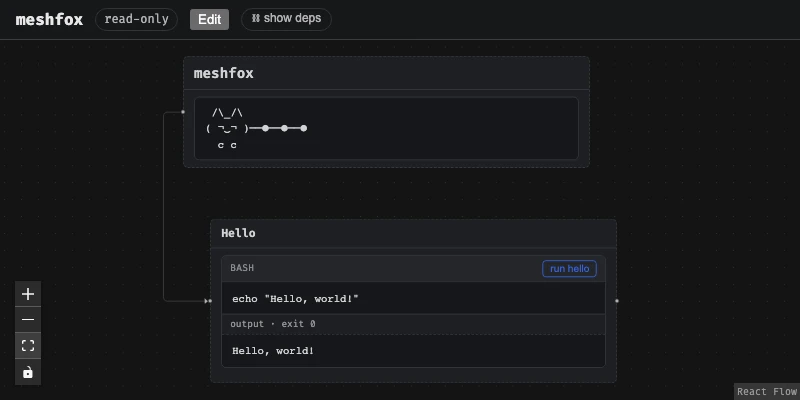
meshfox view -h
exit code: 0

Start the local web UI: canvas view, run buttons. Opens read-only — running a block is always allowed, but click "Edit" in the browser to unlock dragging, resizing, saving layout, and persisting a `cache`d block's output back into the file

Usage: meshfox view [OPTIONS] [CANVAS]

Arguments:
  [CANVAS]  Path to the .canvas.md file. If omitted: auto-discover the single candidate in the current directory

Options:
      --canvas <CANVAS>  Same as the positional argument above, spelled as a flag — for parity with `run`/`node <op>`, which only accept this form
      --port <PORT>      Port to listen on. If omitted, a random free port is chosen — pass this explicitly to pin a stable port (e.g. for scripts) [default: 0]
      --no-open          Don't automatically open a browser tab
      --create           If the file doesn't exist yet, create it (same empty template as `create`) before opening it. Requires an explicit path — has nothing to auto-discover when the file isn't there yet. A no-op if the file already exists
      --no-auto-exit     Don't exit automatically once every browser tab connected to this server has closed. `meshfox view` is meant to run only as long as something's actually looking at it, so by default it exits a few seconds after the last tab goes away; pass this to keep it running headless instead (e.g. scripts/tests that cycle through pages with brief all-tabs-closed gaps a real user wouldn't have)
  -h, --help             Print help
Terminal viewer
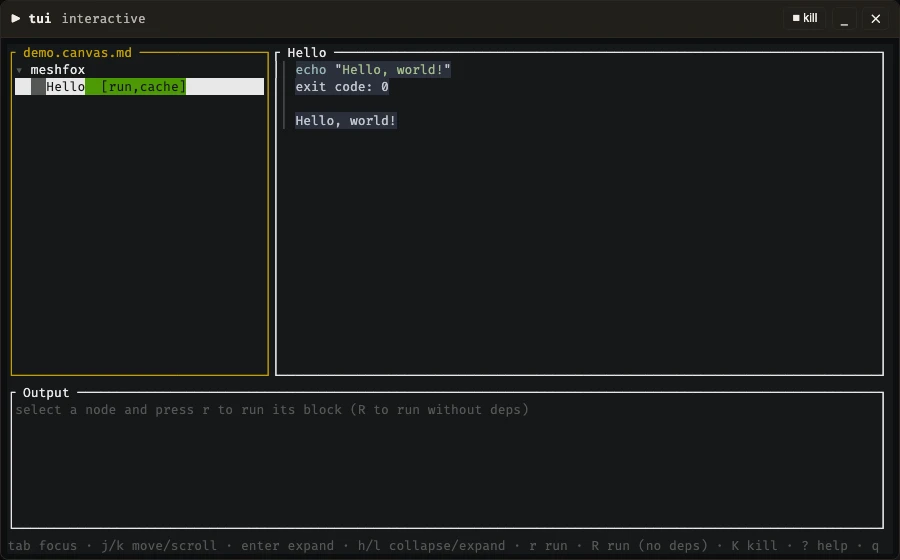
meshfox tui is the browser UI's tree-and-block-runner experience without leaving the terminal — one more front door onto the same files, alongside run and view: a left pane walks the node tree (same [run]/[cache]/[tty] flags meshfox list prints, as badges), a right pane renders the selected node's body — headings/lists/tables, syntax-highlighted code fences (syntect), and local images (ratatui-image, real pixels on a terminal that supports it, half-block Unicode art everywhere else, tmux included). type="include" is resolved for browsing (same as the browser's GET /api/canvas, unlike run/validate's raw-file-only scope), and a file node's display="code" shows the target's own content, same as the browser's read-only preview.
r runs a node's block with its deps= chain first (same as the browser's "⛓ run chain"); R runs just that one block (the plain "run" button's counterpart). A node with more than one runnable block opens a picker first — there's no single obvious default to reach for. Output streams in live and stays visible once the run finishes, same cache/meshfox:var handling as run/view either way. A tty block hands the whole terminal over to it, exactly like meshfox run's own tty handling (see above) — no in-app terminal emulator, this UI's own screen just steps aside and comes back once the block exits. The tree pane's own mouse support is deliberately kept to navigation: click a row to select it (or its ▾/▸ marker to expand/collapse it), scroll wheel over the tree or document pane — the full-screen editor (e, below) is the one place mouse support goes further. Each row's title is also colored to match the node's own color=, same palette the browser UI and PDF export use.
e opens the selected node's own file full-screen — the terminal counterpart to the browser UI's Source mode, built on edtui (vim-style modal input, syntax highlighting via edtui's own highlighter) rather than this UI's own single-key command style, since editing free text needs a real cursor/buffer, not a handful of one-shot bindings. Same routing the browser UI's Edit mode already does for a dragged/dropped-in node: a node spliced in from a canvas include opens its own file at its own id, not the including document. See "Source editor keybindings" below for the full rundown.
No structural editing beyond that in this first cut (meshfox node ..., or the browser UI's Edit mode's dedicated node operations, for that).
Both the document pane's own highlighting and e's full-screen editor share one syntect grammar set (crate::syntax_registry, not two independently-loaded copies) — syntect's own bundled defaults, extended with any .tmLanguage.json (via syntect-tmlanguage) or .sublime-syntax grammar file dropped into .meshfox/syntax/ next to the canvas (the same .meshfox/ directory meshfox:var answers are cached in, see "Variables" above) or ~/.meshfox/syntax/ (global, every project — local wins on a name clash). A grammar that fails to parse is skipped with a warning on stderr rather than stopping the TUI from starting. The same directory (and a .tmLanguage.json dropped into it) also works for the browser UI's own syntax highlighting — see "Browser UI (view)" above.
Which of syntect's own bundled themes both panes use (InspiredGitHub, Solarized (dark)/(light), base16-eighties.dark, base16-mocha.dark, base16-ocean.dark — the default — or base16-ocean.light) is also a .meshfox/config.toml setting, same file/precedence as interpreters.agent.provider above: [tui] editor_theme = "base16-mocha.dark", local (next to the canvas) or global (~/.meshfox/config.toml). A name that isn't one of those bundled themes is ignored and the default is used instead, rather than erroring. Live theme preview renders every bundled theme's actual colors side by side to help pick one — the page itself lives in site-template/ (see "Publishing a canvas as a static site" above) so it's built and published alongside this README's own self-hosted site, not committed as a standalone repo file GitHub would only show as raw source.
meshfox tui -h
exit code: 0 · 21ms

An ncurses-style terminal viewer — browse the node tree, read a node's rendered Markdown body (syntax-highlighted code, local images shown inline where the terminal supports it), and run blocks with live streamed output, right in the terminal. Same deps-chain/cache/`meshfox:var` handling as `meshfox run`/`meshfox view`. A `tty` block hands the real terminal over to it, same as `meshfox run`'s own `tty` handling. The tree/document panes' own mouse support covers clicking a tree row to select it (or its ▾/▸ marker to expand/collapse) and scrolling either pane; each row's title is also colored to match the node's own `color=`. `e` opens a fullscreen raw-source editor (vim-style modal input via `edtui`, meshfox-specific syntax highlighting, full mouse support — click to position the cursor, drag to select, scroll to move the viewport) on the selected node's own file — the terminal counterpart to the browser UI's Source mode. `Ctrl-f` switches between the document and any `include`d file; `Ctrl-n` turns the heading under the cursor into a node in one keystroke; `Ctrl-p` suggests attributes for the current `meshfox:node`/`meshfox:edge` comment or runnable-fence line, or, with the cursor inside a `tags=` value, tags already used elsewhere in the document. Still no *structural* editing beyond that (use `meshfox node ...` or the browser UI's Edit mode for that)

Usage: meshfox tui [OPTIONS] [CANVAS]

Arguments:
  [CANVAS]  Path to the .canvas.md file. If omitted: auto-discover the single candidate in the current directory

Options:
      --canvas <CANVAS>  Same as the positional argument above, spelled as a flag — for parity with `run`/`node <op>`, which only accept this form
      --node <NODE>      Start with this node id already selected (and its ancestors expanded so its row is actually visible) — how a "↗ open" on a `[label](other.canvas.md#node-id)` deep link lands the child TUI it spawns on the right node instead of the root. Not meant to be typed by hand day to day, but not hidden either — same spirit as jumping straight to a line number
  -h, --help             Print help
Run it from a real terminal — meshfox tui README.md (or just meshfox tui, auto-discovering the one canvas in the current directory) — ? opens an in-app keybinding reference once it's up.
Source editor keybindings
Vim-style modal editing (edtui) on the selected node's own file, full-screen: Normal mode for movement and commands, i/a/o (and the rest of vim's usual entry points) into Insert to type, v/V into Visual to select — edtui implements the common vim subset, not a from-scratch clone, so muscle memory mostly just works.
Keybindings on top of vim's own:
Ctrl-s— save. Validated as a canvas first, unless the file is a plain-Markdownincludetarget, which has no such structure to hold it to.Ctrl-f— switch which file is open: this document, or anyincludeit reaches, however deeply nested.Ctrl-n— turn the heading the cursor's on into a node: appends a bare<!-- meshfox:node -->right below it. That's already enough on its own — noid=needed, since a node with none gets one derived from its heading's own slug (see SPEC.md's "Node types" for the fallback).Ctrl-p— suggest attributes for whatevermeshfox:node/meshfox:edgecomment or runnable-fence line the cursor's on, filtered down to whatever that line doesn't already have. Picking one types it in:key=""with the cursor left between the quotes forx/y/w/hget a bare=0instead, matching the on-disk convention every authored coordinate already uses; a fence-only presence flag (cache,tty,default) gets just its own word, nothing to fill in. With the cursor inside an already-typedtags="..."value instead, the same key suggests tags already used elsewhere in the document rather than attribute names — picking one adds it (comma-separated), cursor left ready for the next.esc— leave. A second press discards unsaved edits; the first just warns.- mouse — full vim
mouse=a-equivalent support: click to position the cursor, drag to select (switches to Visual automatically), scroll to move the viewport.
Every <!-- meshfox:... --> marker comment is also highlighted on top of the buffer's own Markdown syntax highlighting — the marker itself in one color, each of its attribute names in another — so a node's own bookkeeping reads at a glance alongside the surrounding prose.
MCP server
meshfox mcp starts an MCP (Model Context Protocol) stdio server — a fourth front door onto the same files as run/view/tui, this one for an AI agent talking to meshfox through structured tool calls instead of shelling out to the binary or hand-editing the file. Takes no arguments; a host launches it the same way as any other stdio MCP server, and whichever directory it's started in becomes its root:
{"command": "meshfox", "args": ["mcp"]}
Multi-canvas by design, but keeping "one file, one process" isolation underneath it: canvas_open/canvas_close/canvas_list manage a registry of open canvases, each backed by its own spawned, isolated child process — a crash or a hung debug_send on one canvas can't touch another, even though a host still sees exactly one MCP server. canvas_open only resolves paths under that root directory — it refuses anything above that (.., an absolute path elsewhere, a symlink pointing out). A canvas id is that file's path relative to the root; opening an already-open file just returns its existing id rather than spawning a second process. Every other tool takes that canvas_id as its first argument — there's no implicit "current" canvas.
Two tool groups, each mirroring its single-canvas equivalent exactly:
- Debug session —
debug_start/debug_send/debug_stop: a persistentbashkept alive in a node/block's own resolved cwd/env, so a multi-step snippet's state (exported vars, files it wrote) survives between calls, unlike a one-shotrun.debug_startresolvesenv=the same wayrundoes, takingvarsas an explicit override for anythingmeshfox:varwould otherwise need to prompt for — there's no interactive terminal on the other end of a tool call to prompt. - Node operations —
node_show/node_find(structured JSON,findmatching a CSS selector against the canvas tree the same waynode finddoes, both with an optionalinclude_bodyto also get a node's own Markdown text) plus every mutatingnode <op>subcommand:node_add/node_meta/node_body/node_block/node_rm/node_mv/node_rename/node_set_id/node_edges/node_move/node_reorder. Each is a thin wrapper around the exact same validated read-modify-writenode <op>already does — no batch/transactional multi-edit, no optimistic-concurrency write-conflict detection against a concurrent editor.
See AGENT_HELP.md (also meshfox --agent-help) for the same "prefer structured operations over hand-editing" guidance this tool surface exists to make available as tool calls rather than shell commands.
meshfox mcp -h
exit code: 0 · 12ms

An MCP stdio server giving an AI agent tool-call access to every canvas file under the current directory, without shelling out to this same binary. Takes no arguments — a host launches it the same way as any other stdio MCP server: `{"command": "meshfox", "args": ["mcp"]}`, and whichever directory it's started in becomes its root. Multi-canvas by design, but keeps "one file, one process" isolation underneath: `canvas_open`/`canvas_close`/`canvas_list` manage a registry of canvases, each backed by its own spawned, isolated child process (a crash or hung debug session on one canvas can't affect another) — resolved only under that root directory, never above it. Every other tool requires that `canvas_id` as its first argument, mirroring its single-canvas equivalent exactly: a stateful debug session (`debug_start`/`debug_send`/`debug_stop` — a persistent `bash` kept alive in a node/block's own resolved cwd/env, so a multi-step snippet's state — exported vars, files it wrote — survives between calls, unlike a one-shot `meshfox run`) and thin wrappers around the whole `node <op>` surface — every subcommand, not just a subset: `show`/`find` (find as structured JSON, CSS-selector matching, same as `node find`) and the mutating `add`/`meta`/`body`/`block`/`rm`/`mv`/`rename`/`set_id`/`edges`/ `move`/`reorder`. Deliberately does *not* attempt batch/ transactional multi-edit or optimistic-concurrency write conflicts (see TODO.canvas.md's own "MCP-редактирование файла"/"Оптимистичная конкурентность" — still open design questions, not implemented here) — every write here is the same immediate read-modify-write `node <op>` already does

Usage: meshfox mcp

Options:
  -h, --help  Print help
MCP Inspector
@modelcontextprotocol/inspector is the reference Node.js tool for poking at any MCP server directly — lists every tool with its full JSON schema and logs every request/response live, handy for checking a tool call actually reaches a host the way meshfox mcp sends it, without going through a real client. Installed globally so its own mcp-inspector binary lands on PATH:
npm install -g @modelcontextprotocol/inspector
mcp-inspector ships three modes — --web (the default), --cli, --tui — but only --cli/--tui accept a bare stdio command as trailing arguments; hand --web the same meshfox mcp ... command and it silently fails to connect, since that mode only knows how to read a server from a catalog/config file. --tui is the one that actually drops into the terminal instead of a browser, so it's the one this fence uses — flagged tty (see "Interactive (tty) blocks" above) rather than cache, since it's a live, interactive UI with nothing to freeze into an output block; autoclose folds this block back up the moment the inspector process itself exits (q/Ctrl-C), instead of leaving a stale terminal panel open:
mcp-inspector meshfox mcp
VS Code extension
editors/vscode/ — opens .canvas.md files (and any other .md whose first line is the <!-- meshfox:canvas --> marker — this document included) as the same interactive node canvas the browser UI shows, embedded directly in an editor tab instead of a browser one. The extension acts as its own private coordinator (mirroring crates/cli/src/watcher.rs's own role, reimplemented in TypeScript over the same wire protocol meshfox open above also speaks): it spawns a meshfox view --watcher-socket worker per open canvas and points that tab's webview at its local port. Read-only from VS Code's own perspective, same as the browser UI itself — click "Edit" inside the canvas to unlock dragging/resizing/saving layout.
Also ships a small TextMate injection grammar that highlights meshfox's own bookkeeping comments (meshfox:node/meshfox:edge/meshfox:var/...) wherever the raw file is shown as plain text instead of through the canvas editor — git diffs/blame, "Open With... → Text Editor".
On the VS Code Marketplace — install straight from there, or see editors/vscode/README.md for building/installing the .vsix locally instead, and the extension's own limitations (macOS/Linux only for now, same watcher-socket protocol as meshfox open above).
Static export (experimental)
Renders a canvas's node graph — boxes, tags, cached output, and every structural/meshfox:edge connection — as a plain static HTML/CSS/SVG site (no JS, no live server), through a user-supplied Tera template: every *.tera file in --template is rendered with the canvas's data (context key site) and written to --out at the same relative path minus .tera; everything else in the template directory is copied verbatim (CSS, fonts, images, ...). site-template/ in this repo is a real, working template (used for the example below) that also happens to be a decent way to publish a canvas's README as a project page.
A template's own settings live in an optional template.toml right in its own directory (see site-template/template.toml) rather than as static command-line flags — they're a property of that template, not something to repeat on every invocation: base_url, prefixed onto a relative link/target the command doesn't already copy into --out; and icons, a list of <link rel="..." href="..."> tags (exposed to every template as the icons context key) for the page's own favicon/apple-touch-icon set. template.toml itself is read, never rendered or copied into --out. A template with none gets an empty config — no base_url prefixing, no icon tags — same as before this file existed.
meshfox static -h
exit code: 0

Experimental: export a canvas as a static site. Resolves includes (same as `validate`/`view`), turns the canvas's node tree into a recursive `SiteData` (context key `site`) and hands it to a user-supplied Tera template. A node with no real, authored `x`/`y`/`width`/`height` gets no computed position at all — the template renders it as an ordinary nested HTML element and the *browser* lays it out and sizes it from its real content (no pre-computed/estimated pixels to get wrong); a node that does have all four real values keeps rendering at exactly that authored pixel position. A structural (parent/child) connector between two flow-positioned nodes is drawn in pure CSS (they're always DOM-adjacent); everything else — a `meshfox:edge` cross-reference, or a structural edge touching a real-positioned node — is left for a small non-interactive JS pass in the template to measure and draw. Every `*.tera` file in `--template` (except one whose basename starts with `_`, a partial meant to be `{% import %}`ed rather than rendered standalone) is rendered and written to `--out` at the same relative path minus `.tera`; every other file is copied verbatim (CSS, fonts, ...) — except `template.toml` itself, the template's own config file (optional; a template with none gets an empty `base_url` and no `icons`), read from `--template`'s own directory and never copied to `--out`. A local image referenced from a node's Markdown body is copied alongside the output automatically; a `file`-type node's `display="code"` target is read once and inlined into the HTML directly (nothing left to fetch once static). See `site-template/` in this repo for a working example, including its own `template.toml`

Usage: meshfox static [OPTIONS] --template <TEMPLATE> [CANVAS]

Arguments:
  [CANVAS]  Path to the .canvas.md file. If omitted: auto-discover the single candidate in the current directory

Options:
      --canvas <CANVAS>      Same as the positional argument above, spelled as a flag — for parity with `run`/`node <op>`, which only accept this form
  -t, --template <TEMPLATE>  Template directory
  -o, --out <OUT>            Output directory. Refused if it already exists and is non-empty, unless `--force` [default: site]
      --force                Overwrite an existing, non-empty `--out` directory
  -h, --help                 Print help
Rendering examples/hello.canvas.md with that template into a scratch directory:
meshfox static examples/hello.canvas.md --template site-template -o /tmp/meshfox-static-demo --force
ls /tmp/meshfox-static-demo
rm -rf /tmp/meshfox-static-demo
exit code: 0

meshfox static: wrote 24 file(s) to /tmp/meshfox-static-demo
apple-touch-icon.png
favicon-16.png
favicon-32.png
favicon.ico
fonts
icon-192.png
index.html
style.css
PDF export (experimental)
Renders a canvas straight to a PDF file, via a real (headless) Chrome/Chromium rather than a hand-rolled layout engine — a system install is used if one can be found (CHROME env var, common binary names on PATH, well-known install locations); otherwise a pinned Chromium build is downloaded once and cached for next time. Builds on the same meshfox_core::staticgen data static uses (see above), so it gets the same real, browser-computed layout instead of guessing at Markdown-body heights in Rust.
Two kinds of pages, normally both, in this order:
- a canvas page — every node at its own box, full body always shown (never folded, regardless of the document's own fold settings — a printed page has no click to unfold later). A real, authored
x/y/widthis kept exactly; height always auto-sizes to the node's own real rendered content instead, authored or not, so a fixed size a canvas author set back when this box only showed a title can't clip the real body it shows now. Everything without a real position at all is auto-laid-out by the same tree-recursive algorithmweb/src/autolayout.tsuses for the live canvas view (branch right per depth, stack siblings, agroup's box the bounding box of its resolved members) — but computed client-side, in the printed page's own script, against real measured content height, not guessed at in Rust (no heuristic can guess a Markdown body's height right in general — the same lessonautolayout.ts's own module doc comment already draws from this project's history). So this page always has something worth printing, not just for a canvas someone has hand-positioned every node of. Printed at true 1:1 CSS-px scale, one single custom-sized page (the bounding box of every node's own box, capped at 200cm per side), never scaled to fit a fixed paper size. Connector arrows for both structural (parent → child) andmeshfox:edgecross-reference relationships; agroup's own containment is shown spatially (transparent, dashed box around its members) rather than with a redundant connector line. - document page(s) — the full node tree in flow/document order (headings by depth, tags, body, target, recursing into children), standard A4 pagination. A node with children ends its own block with a row of jump-links to each child's own heading (
meshfox:edge/structural nesting isn't drawn spatially here the way the canvas page draws it).
--mode canvas/--mode document renders just one of the two instead of both. Both pages use the same self-hosted Fira Code font the web UI and static's own site-template/ use — reused straight out of the web UI's own already-embedded web/dist bundle (rust-embed) rather than a second copy embedded just for pdf.
meshfox pdf -h
exit code: 0

Experimental: export a canvas as a PDF, via a real (headless) Chrome/Chromium — a system install is used if one can be found (`CHROME` env var, common binary names on `PATH`, well-known install locations); otherwise a pinned Chromium build is downloaded once and cached for next time. Two kinds of pages, both by default: a canvas page — every node at its own box, full body always shown (never folded, regardless of the document's own fold settings); a real authored `x`/`y`/`width` is kept exactly, everything else auto-laid-out the same way the live web UI would place it, but height always auto-sizes to the node's own real content, authored or not, so nothing is ever clipped — printed at true 1:1 CSS-px scale on its own custom-sized page rather than scaled to fit a fixed paper size, with connectors for both structural parent/child and `meshfox:edge` cross-references; then the full node tree in flow/document order (headings by depth, tags, body, target, standard A4 pagination)

Usage: meshfox pdf [OPTIONS] [CANVAS]

Arguments:
  [CANVAS]  Path to the .canvas.md file. If omitted: auto-discover the single candidate in the current directory

Options:
      --canvas <CANVAS>  Same as the positional argument above, spelled as a flag — for parity with `run`/`node <op>`, which only accept this form
  -o, --out <OUT>        Output PDF path. Defaults to the canvas filename with its extension replaced by `.pdf`, in the same directory
      --force            Overwrite an existing `--out` file
      --mode <MODE>      Render only the canvas page or only the document page(s) instead of both (the default: canvas page first, then the document page(s)). A node with no real, authored `x`/`y`/`width`/`height` is auto-laid-out on the canvas page the same way the live web UI would place it, so this always has something to render [possible values: canvas, document]
  -h, --help             Print help (see more with '--help')
Rendering examples/hello.canvas.md to a scratch PDF file:
meshfox pdf examples/hello.canvas.md --out /tmp/meshfox-pdf-demo.pdf --force
file /tmp/meshfox-pdf-demo.pdf
rm -f /tmp/meshfox-pdf-demo.pdf
exit code: 0

meshfox pdf: wrote /tmp/meshfox-pdf-demo.pdf
/tmp/meshfox-pdf-demo.pdf: PDF document, version 1.5, 4 pages
Architecture
Rust workspace + a small browser frontend:
crates/
  core/     canvas model, .canvas.md parsing/rendering (crate::mdcanvas),
            tree derivation, Markdown fence scanning, output-block
            rewriting, executors (bash, ...), auto-layout
  server/   library crate: axum HTTP backend (load/save a canvas file,
            execute a block) + the built web/ UI, embedded at compile time
            via rust-embed. No [[bin]] of its own — meshfox-cli links it.
  cli/      the only binary: `meshfox`. `run` uses crates/core
            directly; `view` starts crates/server's backend (with the UI
            baked in) on localhost, read-only until the browser's "Edit"
            button is clicked. One executable, no separate server process
            to install or start.
web/        React + React Flow editor: renders the node/edge graph,
            in-node Markdown editing, run buttons wired to the server API.
            Built once (`npm run build`) and embedded into the `meshfox`
            binary — not shipped or loaded separately at runtime.
core is the shared brain; server wraps it in an HTTP API (and owns the embedded UI); cli is the single front door a user actually runs. Every write to the source file — cached output, saved layout — goes through a surgical patch (mdcanvas::set_node_body / set_node_meta) that touches only the node(s) that actually changed, never a full-document reformat.
Syntax grammars: built-in vs. loadable
Two independent syntax-highlighting engines, one shared grammar format (mostly): the TUI uses syntect (Rust, via syntect-tmlanguage for real .tmLanguage.json support), the browser UI uses Shiki/Monaco (JS, via vscode-textmate — the same tokenizer VS Code itself runs on). Both understand plain TextMate grammars, so one .tmLanguage.json file usually works unmodified on either side.
- Built-in, nothing to configure:
syntect's own bundled defaults (TUI) and Shiki's own large bundled language set (web) already cover most common languages out of the box — this is what a canvas gets with zero setup. - meshfox's own grammar, for
<!-- meshfox:... -->marker comments, is compiled into both binaries rather than loaded from disk —web/src/grammars/meshfox.tmLanguage.json(a real TextMate injection grammar, auto-applied on top of Markdown) andcrates/cli/src/grammars/meshfox.tmLanguage.json(aninclude-based grammar,syntecthas no injection support at all — see below). Same rules (highlight the marker keyword, its attribute names/values), two different shapes because the two engines support different mechanisms for layering on top of an existing language. - meshfox's own bundled grammar pool (
grammars/README.md) — complete, standalone language grammars for anything neither engine bundles by default that meshfox itself needs, currently just Starlark (for```starlark constraintfences, SPEC.md's "Constraint fences" — neithersyntectnor Shiki ships one). One canonical, unmodified file the web side loads directly; where that file doesn't load intosyntectas-is, a hand-adapted copy lives ingrammars/tui/instead (same<dir>/tui/<name>shape as the user-facing override below) — the built-in version of that same mechanism, for meshfox's own pool rather than a user-supplied grammar. - User-loadable custom grammars: drop a
.tmLanguage.jsonor.sublime-syntaxfile into.meshfox/syntax/(next to the canvas) or~/.meshfox/syntax/(global, every project) — one shared repository both sides read from (crate::syntax_registryon the TUI side,GET /api/syntax/GET /api/syntax/:namefor the browser — see "Terminal viewer" and "Browser UI" above for each side's own detail). Local wins over global on a same-named clash. - TUI-only overrides,
.meshfox/syntax/tui/(and~/.meshfox/syntax/tui/): some real, unmodified upstream grammars simply can't load intosyntectat all, override or not — a few (confirmed by grepping the actual upstream files, not guessed) use TextMate'sbegin/whileconstruct, whichsyntect's matching engine has no equivalent for (Markdown: 72 such rules; AsciiDoc: 244; YAML: 2 — plain programming-language grammars essentially never use it). A same-named file dropped intui/overrides the plain one for the TUI specifically, hand-rewritten to use only constructssyntectsupports (typicallyinclude-ingsyntect's own already-loaded default for that language, the way meshfox's own grammar does for Markdown) — the browser never sees this directory (meshfox-server's own listing doesn't recurse into it), so it keeps using the original, unmodified file.
Development
Requires Rust (stable, via rustup) and Node.js for the web UI.
crates/server embeds web/dist at compile time (via rust-embed), so build the frontend before building anything that depends on it — a fresh clone has an empty web/dist (just a tracked .gitkeep, see .gitignore) and meshfox view will happily start and serve the API, but its UI route will just say the assets weren't built rather than show anything.
cd web && npm install && npm run build   # do this first — see above
cargo build --workspace                  # build core/server/cli into the one `meshfox` binary
cargo test --workspace                   # run core's unit tests

# run block "smoke" on the node reached via tests -> smoke-test
cargo run -p meshfox-cli -- run examples/hello.canvas.md tests smoke-test smoke

# validate and view both take the canvas path the same way
cargo run -p meshfox-cli -- validate examples/hello.canvas.md
cargo run -p meshfox-cli -- view examples/hello.canvas.md   # UI + API on :4590, opens read-only,
                                                              # launches your browser (--no-open to skip)
# (once meshfox is on your PATH: `meshfox view README.md`, `meshfox run
# README.md usage usage-help help`, etc. `run` recognizes a leading path by
# its .md suffix — node ids never have one — so it stays unambiguous
# alongside its own path/block-name arguments; auto-discovery still works
# everywhere too when the path is omitted)
Working on the frontend itself: the embedded copy is a snapshot from your last npm run build, so for live-reloading UI development run cd web && npm run dev (on :5173) in a second terminal alongside meshfox view (on :4590) — Vite proxies /api to :4590, same as before.
Unit tests
cargo test --workspace runs the Rust workspace's own unit/integration tests — crates/core's parsing (mdcanvas), tree derivation, auto-layout, fence-scanning, dependency-resolution, and variable-handling logic is the bulk of the coverage, each in its own #[cfg(test)] module next to the code it exercises, plus a handful of higher-level tests in crates/server/crates/cli (e.g. the tty websocket path). Pure Rust — no Node.js, no built frontend, no browser needed, unlike the end-to-end suite below. name=d so it's runnable like any other block here, deliberately without cache, same reasoning as "End-to-end tests"/"Release build": the log is per-run noise, not something worth freezing into this file. Flagged default since its block name (run) doesn't match its node id (unit-tests):
cargo test --workspace
End-to-end tests
web/e2e/ is a Playwright suite that drives the real UI in a real browser against a real meshfox view — not a mocked frontend — because the bugs this suite exists to catch (a dependency badge clipped by overflow: hidden, a highlight's box-shadow eaten by that same overflow: hidden, "ok" on a node's settings modal resending a field nobody touched) were only visible in the genuinely rendered, genuinely laid-out canvas; a component-level test wouldn't have seen any of them. It runs against four fixture canvases (web/e2e/fixtures/*.canvas.md, one each for dependency-chain UI, scroll/pan interaction, text selection, and node-settings) — deterministic (no date/timestamps) and separate from examples/hello.canvas.md, so test stability never depends on the documentation example's own content. Most of the suite runs the UI in its default read-only mode (never clicks "Edit"), so nothing there ever writes back into a fixture file; settings.spec.ts is the one exception — it clicks "Edit" to reach the settings modal at all, but only ever clicks "ok" without changing a field, and asserts the raw file comes back byte-for-byte unchanged every time (see that file's own doc comment for the two regressions this caught). Each suite runs against both Chromium and Firefox (chrome-*/firefox-* projects in playwright.config.ts); a small, explicitly-commented handful of assertions are skipped on Firefox where they hit confirmed Gecko-specific limitations (nested-scrollframe wheel-event chaining; drag-selection anchoring under a CSS transform ancestor) rather than anything wrong in this app's own code.
e2e-prep installs web/'s npm dependencies and Playwright's own Chromium and Firefox copies (separate from any browser already on your system) — both idempotent, so re-running once already done costs nothing. run depends on it (deps="e2e-prep"), so the dependency chain always pulls prep in first — no manual first-time step to remember. Both name=d so they're runnable like any other block here, deliberately without cache, same reasoning as "Release build" below: their logs are per-run noise (install/test timings) rather than something worth freezing into this file. run is also flagged default — the one block per node meshfox run <path> can address without a trailing block name — so meshfox run development e2e-tests runs it (and its e2e-prep dependency) directly, without needing to spell out ... e2e-tests run:
cd web
npm install
npx playwright install chromium firefox
cd web
npm run test:e2e
For interactive debugging instead of a one-shot run, use npm run test:e2e:ui (opens Playwright's UI mode — not runnable here, since it doesn't exit on its own).
playwright.config.ts's webServer starts meshfox view itself (via cargo run, rebuilding only if the Rust side changed) — no server needs to be already running, and no separate npm run build step either, since test:e2e runs it as a pretest:e2e hook. Debug builds of meshfox-server read web/dist fresh off disk on every request (rust-embed's debug-embed feature, which would force compile-time embedding even in a debug build, isn't enabled — see its Cargo.toml), so a frontend-only change just needs npm run build again, not a Rust rebuild, between test runs.
VS Code end-to-end tests
editors/vscode/e2e/ is a separate, deliberately opt-in Playwright suite from the one above — it drives a real, already-installed VS Code via Playwright's Electron support (_electron.launch()), not headless Chromium, because the bug it exists to catch (TODO.canvas.md: "VSCode: вставка текста (Cmd+V и контекстное меню) в редактор ноды не работает") only reproduces inside a real VS Code window: a genuinely trusted Cmd+V against web/src/NodeTextEditor.tsx's Monaco editor fires a normal paste DOM event in any real browser tab (confirmed directly, and covered by web/e2e/copy-paste.spec.ts's own round-trip test) but never does inside VS Code's own webview — a long-standing, still-open class of upstream VS Code/Electron limitation (nested-iframe focus resolution for a native accelerator-driven paste command; see microsoft/vscode#129178), not a bug in this app. web/src/textPasteFallback.ts works around it (falls back to navigator.clipboard.readText() when a real paste event doesn't show up within 250ms of a Ctrl/Cmd+V keydown) — this suite is what actually proves that fallback works, end to end, in the one environment that matters for it. Confirmed the same investigation's way: the node body editor's own title field and NodeSettings' ID field (both plain <input>s, no EditContext involved) already paste correctly via real Cmd+V in VS Code with no fallback needed at all — the gap is specific to Monaco's EditContext input surface, not general to every input in the app.
Heavier and more fragile than the browser suite above on purpose (see playwright.config.ts's own doc comment): a real VS Code + extension-host + meshfox-worker launch costs ~15-20s per file, needs a real VS Code install on the machine running it (VSCODE_ELECTRON_PATH env var overrides the default macOS/Linux install-path guesses in helpers.ts), and isn't part of e2e-tests above or any CI gate — run it by hand when touching real-VS-Code-specific behavior (editors/vscode/, or anything paste/clipboard-related in the Monaco editors).
cd editors/vscode/e2e
npm install
cargo build -p meshfox-cli
cd web && npm run build && cd ..
cd editors/vscode && npm run compile && cd e2e
npm test
TUI end-to-end tests
crates/cli/tests/tui_e2e/ is a third, separate, deliberately opt-in suite alongside the two above — Rust's own counterpart to them, for the TUI (crates/cli/src/tui/). Every existing TUI test (crates/cli/src/tui/{app,ui,markdown}.rs) drives App directly (app.on_key(...).await) or renders one frame via ratatui::backend::TestBackend — none of them ever touch the real crossterm::event::read()/raw-mode/EnableMouseCapture event loop in crates/cli/src/tui/mod.rs::run, so a bug specific to that real path (real terminal setup, real mouse escape-sequence parsing, real terminal cleanup on exit) is structurally invisible to them. This suite spawns the real, compiled meshfox binary inside a real pty (portable-pty — already a real dependency, crates/server/src/pty_exec.rs uses it for tty blocks) and drives it with real keystrokes and real xterm SGR mouse escape sequences, asserting on the real rendered screen via vt100.
Every test in it is #[ignore]d — Cargo has no other way to exclude one integration-test target from cargo test --workspace's default run, so this is what keeps it out of that gate (confirmed: cargo test --workspace reports this target's tests as ignored, not run, adding ~0s). The suite's mouse_*.rs tests each mirror one mouse-support checklist item in TODO.canvas.md's "Мышь в панелях TUI (tree/document/output)" — written first, failing on purpose, against a feature that didn't exist yet, with implementing the item and greening its test happening together, the same red-then-green shape as TDD; every item on that checklist is now implemented, so the whole suite is green. baseline.rs covers the keyboard-driven flows underneath all of it (start up and render, select a node and run its block, quit and actually exit), so a regression in the real event loop itself doesn't slip through unnoticed.
cargo test --test tui_e2e -- --ignored
Linting
web/'s TypeScript type-checking (tsc --noEmit) — no ESLint yet, see TODO.canvas.md (not tracked in this repo) for why. name=d so it's runnable like any other block here, deliberately without cache, same reasoning as "Unit tests":
cd web && npm run typecheck
Release build
An optimized, distributable single binary. name=d so it's runnable like any other block here, deliberately without cache — a full release compile is slow and its build log isn't worth freezing into this file on every run:
cd web && npm install && npm run build
cargo build --workspace --release
echo "binary: target/release/meshfox"
Full check
Run unit tests, typecheck, and e2e tests:
echo "done"
Install
Copies the release binary to $INSTALL_PATH — see "Variables" above, where it's declared. env="$INSTALL_PATH" is what actually pulls it into this block's environment: the first run/configure that reaches a block with this env= prompts for it (default /usr/local/bin) and remembers the answer in .meshfox/README.md.env afterward, so this doesn't ask again on repeat installs — and, since no other block in this document declares env= at all, INSTALL_PATH is never resolved or asked about by anything else here. deps="release-build/release-build" (a cross-node reference — see "Runnable code fences" in SPEC.md — since release-build is a block in a different node than this one) means installing always builds fresh first. This block's own name already matches its node's id (install), so it's the node's implicit default block — no explicit default flag needed, unlike e2e-tests' run above, which needed one since its block is named run, not e2e-tests; both mechanisms are demonstrated in this document. Deliberately without cache, same reasoning as "Release build": the log is per-run noise, not something worth freezing into this file:
mkdir -p "$INSTALL_PATH"
cp target/release/meshfox "$INSTALL_PATH/meshfox"
echo "installed to $INSTALL_PATH/meshfox"
Fix macOS Gatekeeper kill
macOS only, and not fully deterministic: a locally built/installed binary can get silently SIGKILLed on launch (exit code 137, no error message) — an AMFI/Gatekeeper code-signature check a plain cargo build's own output doesn't satisfy, and one that's been seen resurfacing even on a binary that already ran fine earlier in the same session, not only right after a fresh build. Re-signing ad hoc (no real identity, just enough to satisfy the check) clears it. Deliberately without cache, same reasoning as "Install" above — nothing here worth freezing, and re-running this is exactly the point whenever the kill resurfaces:
codesign --force -s - "$INSTALL_PATH/meshfox"
License
meshfox is MIT-licensed.
LICENSE
MIT License

Copyright (c) 2026 Maksim Dementev

Permission is hereby granted, free of charge, to any person obtaining a copy
of this software and associated documentation files (the "Software"), to deal
in the Software without restriction, including without limitation the rights
to use, copy, modify, merge, publish, distribute, sublicense, and/or sell
copies of the Software, and to permit persons to whom the Software is
furnished to do so, subject to the following conditions:

The above copyright notice and this permission notice shall be included in all
copies or substantial portions of the Software.

THE SOFTWARE IS PROVIDED "AS IS", WITHOUT WARRANTY OF ANY KIND, EXPRESS OR
IMPLIED, INCLUDING BUT NOT LIMITED TO THE WARRANTIES OF MERCHANTABILITY,
FITNESS FOR A PARTICULAR PURPOSE AND NONINFRINGEMENT. IN NO EVENT SHALL THE
AUTHORS OR COPYRIGHT HOLDERS BE LIABLE FOR ANY CLAIM, DAMAGES OR OTHER
LIABILITY, WHETHER IN AN ACTION OF CONTRACT, TORT OR OTHERWISE, ARISING FROM,
OUT OF OR IN CONNECTION WITH THE SOFTWARE OR THE USE OR OTHER DEALINGS IN THE
SOFTWARE.
Dependency licenses
License & Third-Party Notices
meshfox itself is MIT-licensed (see LICENSE, also inlined below). This document tracks every third-party dependency pulled into the published binary/bundle — backend (Rust crates, Cargo.toml) and UI (npm packages, web/package.json) — and records the license-compatibility check against MIT.
Only direct dependencies are listed by name below; the full transitive tree actually reachable from a shipped binary (634 Rust crates on macOS — normal-dependency edges only, dev/build-only trees excluded, since those never compile into what's published; 187 npm production packages) was checked programmatically and is summarized in "License compatibility" — nothing in it requires anything beyond attribution, with weak-copyleft exceptions noted below (option-ext; cssparser/selectors, both via scraper). The Rust-side count jumped from 321 once meshfox tui (see "Usage") landed — syntax highlighting (syntect) and terminal image rendering (ratatui-image, image) both pull real transitive weight; image's own default codec set was trimmed to just png/jpeg/gif/webp/bmp to keep that from growing further than it has to. It grew by another 27 once meshfox check-updates (see "Usage") landed — self_update's GitHub-release polling, tarball extraction, and TLS (rustls, built with the ureq HTTP backend rather than reqwest, to keep that addition as small as it can be) each pull their own small tree. It grew by another 62 once meshfox pdf (see "Usage") landed — headless_chrome (drives a real Chrome/Chromium to print the HTML static export to PDF, downloading a pinned Chromium build via its own fetch feature when no system browser is found) and lopdf (merges the diagram-overview and document-flow pages into one PDF) each pull their own tree. One of headless_chrome's transitive deps, option-ext (via directories/dirs-sys, used to locate the Chromium download cache), is MPL-2.0 rather than MIT — weak, file-level copyleft that only obligates keeping that crate's own source available/modifiable if redistributed in modified form; it doesn't extend to the rest of this binary (same as cssparser/selectors below, once scraper reached it for real). meshfox pdf also gave both its own printed pages and meshfox static's own site-template the same font the web UI already uses (crates/cli/src/pdf/templates/'s CSS, site-template/style.css). pdf's own copy isn't a second embedded copy at all: web/dist (Vite's build output) is already embedded into this same binary via rust-embed for the web UI's own sake (crates/server's WebAssets), so meshfox_server::find_web_asset just pulls the same @fontsource/fira-code bytes back out of that already-embedded bundle at PDF-generation time (weights 400/700, latin+cyrillic subsets — pdf runs against arbitrary canvases, so it keeps both this project's own content actually mixes) rather than shipping a redundant include_bytes!-embedded copy of its own; if web/ hasn't been built into this particular binary, the lookup just comes back empty and that @font-face silently falls through to the page's own CSS fallback stack instead of failing the export. site-template/fonts/ is a separate, genuine copy (loose files, latin only, weights 400/500/600/700 — that template is this repo's own working example, used to publish README.md itself, all-English) since a static-site export has no already-compiled binary to borrow bytes from — copied straight from the same npm package's own build, own fonts/LICENSE alongside it, same OFL-1.1 font-file-level attribution requirement as the npm entry below. A template built for other content can add back whatever subsets it needs (latin-ext/cyrillic-ext — Central/Eastern-European accented Latin, historic/extended Cyrillic — neither this repo's own template nor pdf needs). It grew by another 4 once constraint fences gained read access to a file-type node's own already-declared target (.content()/.json()/.yaml()/.toml()/.csv() — see "Constraint fences") — JSON and TOML parsing already leaned on serde_json/toml (both already direct deps for other reasons), so only .yaml()/.csv() needed new ones: csv (plus its own small csv-core) and serde_norway (plus its own unsafe-libyaml-norway) — the latter a maintained fork of serde_yaml, which upstream itself now points people away from. It grew by another 19 (on macOS — this pulls a different, platform-specific clipboard backend on Linux/Windows) once meshfox tui gained its own fullscreen source editor (e, see "Usage") — edtui (the editor widget itself: buffer, cursor, vim-style input, and — via its own syntax-highlighting feature — a second, independent syntect instance from the one markdown.rs's read-only code-fence highlighting already uses) pulls in arboard for system-clipboard copy/paste (objc2/objc2-app-kit/objc2-core-foundation/objc2-core-graphics/objc2-encode/objc2-foundation on macOS), plus onig/onig_sys — an alternate regex engine syntect's own default features pull in alongside the regex-fancy one this binary already asks for elsewhere, since Cargo unifies a shared dependency's features across the whole build rather than keeping two differently-configured copies. onig_sys vendors the Oniguruma C library itself, BSD-2-Clause; everything else in this batch (edtui, edtui-jagged, arboard, the objc2* family, plist, quick-xml, tiff) is MIT or a permissive MIT/Apache-2.0/Zlib choice. crossterm itself was bumped 0.28 → 0.29 in the same change, purely to match the version edtui (and ratatui 0.30's own ratatui-crossterm backend) already depends on — Cargo can't unify two different 0.x majors of the same crate the way it does minor/feature differences within one, so without this bump the binary would've ended up with two distinct, mutually-incompatible crossterm::event::KeyEvent types instead of one. meshfox_server gained two more direct deps once link nodes' preview="true" (see SPEC.md's "Node types") landed — reqwest (default-features = false, just the rustls feature, matching this binary's existing TLS-backend preference over native-tls/OpenSSL) for the SSRF-hardened OpenGraph fetch itself, and scraper (Selector::parse/.select() against the fetched HTML, crates/server/src/link_preview.rs) for parsing its <meta property="og:..."> tags — this is also where scraper's own transitive cssparser/selectors (both MPL-2.0, weak/file-level copyleft, same terms as option-ext above) first actually reached the published binary, despite crates/cli's own separate dev-only copy of scraper (used by its own tests) predating it. Both reqwest/scraper were already reachable elsewhere in the workspace's own dependency graph before this — reqwest as a transitive dep of self_update (see the check-updates entry above), scraper as that crates/cli-dev-only copy — so promoting them to real, direct meshfox_server deps added meaningfully less new transitive weight than a from-scratch addition of either would have. It grew by one more once runnable fences gained their own interpreter="..." attribute (generalized from the file-node attribute of the same name, see SPEC.md's "Runnable code fences") — shlex splits that shebang-style command+flags string into a program name and argument list; it's a tiny, dependency-free crate (no transitive tree of its own). node find (see "Usage") promoted crates/cli's own scraper copy from dev-only to a second real, direct use — CSS-selector matching against a synthetic HTML skeleton of the canvas tree (crates/cli/src/main.rs's find_node_ids), the same engine link_preview.rs already uses — adding no new transitive weight at all, cssparser/selectors having already reached the binary via meshfox_server as described just above. meshfox mcp (see "Usage") added rmcp — the official Rust SDK for the Model Context Protocol, server+transport-io features only (a stdio tool server, nothing else) — plus its own schemars (JSON Schema generation for each tool's parameters). Both, and everything either pulls in transitively (rmcp-macros, pastey, dyn-clone, schemars_derive, serde_derive_internals, tracing/tracing-attributes, the futures/futures-channel/futures-executor family), are MIT/Apache-2.0/dual — no new copyleft exceptions beyond the ones already noted above. uuid/libc/serde_json were already documented above (via meshfox_server); this just promotes each to also be a direct dependency of crates/cli (session ids, process-group kill signals, and structured tool results), adding no new rows. It grew by 3 more (on macOS) once meshfox mcp gained multi-canvas support (canvas_open/canvas_close/canvas_list, see "Usage") — rmcp picked up its own client+transport-child-process features so the same binary can also act as an MCP client, spawning meshfox mcp <file> as an isolated child process per opened canvas and talking to it over its own stdio (the same mechanism an MCP host uses to launch us in the first place, just one level up). transport-child-process pulls in process-wrap for reliable process-tree spawning/killing, which in turn pulls in nix (Unix syscalls) and tokio-stream; a fourth transitive, windows (plus its own small windows-collections/-future/-numerics/-threading family), is cfg(windows)-only and never reaches this macOS binary at all. All of it is MIT or MIT/Apache-2.0 dual — no new copyleft exceptions. It grew by exactly 1 more once the TUI's read-only preview and its fullscreen editor (e) were unified onto one shared grammar set (see "Usage") — syntect-tmlanguage (loads real TextMate .tmLanguage.json grammars into syntect's own SyntaxDefinition, MIT OR Apache-2.0) was the only new Cargo.lock entry the change added (checked via git diff Cargo.lock): its own syntect/serde/serde_json/thiserror/yaml-rust dependencies were all already satisfied by this binary's existing tree. Neither this binary nor web/dist gained a new package dependency for meshfox's own bundled grammar pool (grammars/README.md — Starlark, for ```starlark constraint fences, and Elixir, the original motivating case for the whole "Единая база языков подсветки" effort) — it's vendored source (.tmLanguage.json files, include_str!ed into the CLI binary and, for Starlark only, imported into the web bundle directly — Elixir is syntect-only, since Shiki already bundles it natively), same category as @fontsource/fira-code's own font files below rather than a Cargo.lock/package.json entry. grammars/starlark.tmLanguage.json is vendored from bazelbuild/vscode-bazel (Apache-2.0); grammars/elixir.tmLanguage.json from elixir-lsp/vscode-elixir-ls (MIT) — both retain their own attribution in grammars/README.md. That pool grew by 16 more files, all wired into syntax_registry.rs's BUNDLED_POOL_ADDITIONS, once that same audit was run against all 346 of Shiki's own bundled languages to see which load into syntect for free; same non-Cargo.lock/package.json vendored-source category as Starlark/Elixir. Each one's upstream source/license was checked against the real GitHub repo it comes from (via sources-grammars.ts in shikijs/textmate-grammars-themes, not assumed from Shiki's own blanket MIT repackaging license) — all 16 are MIT or Apache-2.0 (full per-file list in grammars/README.md). That check caught two real exclusions, deliberately not vendored: the nginx grammar (hangxingliu/vscode-nginx-conf-hint) turned out to be genuinely GPL-3.0 upstream despite Shiki's own package-level MIT license, a copyleft conflict with this project's MIT licensing; Swift (jtbandes/swift-tmlanguage, itself MIT) uses \G 65 times woven through core declaration/generics parsing rather than one peripheral rule, so unlike the 16 that made it in, it isn't a safe mechanical patch — not worth vendoring a file that can't actually be wired in. It grew by one more once meshfox-core gained node-level createdAt/updatedAt timestamps (see SPEC.md's "Timestamps") — time (crates/core/src/timestamp.rs) does the actual RFC3339 parsing/formatting/validation rather than a hand-rolled calendar implementation; it was already reachable transitively before this (via headless_chrome's own dependency tree, see the pdf entry above), so promoting it to a real, direct meshfox-core dependency added no new transitive weight.
It grew by one more once crates/cli's main gained an explicit rustls::crypto::ring::default_provider().install_default() call — rustls (already reachable transitively via headless_chrome/self_update's own ureq backend, and via meshfox_server's reqwest feature flags) was promoted to a real, direct crates/cli dependency so that call has something to name; picking the ring backend there (rather than the default aws-lc-rs) keeps only one crypto backend compiled into the binary, matching reqwest's own rustls-no-provider feature choice in meshfox_server. Apache-2.0 OR ISC OR MIT — permissive, no new copyleft exception.
It grew by one more once service blocks (see SPEC.md's "Service blocks (experimental)") gained per-process CPU/memory/uptime sampling for the webui's service panel and the TUI's own service view — sysinfo (MIT), used from crates/server's new services module (shared by both, since the TUI links this crate as a library rather than talking to it over HTTP).
MIT License
MIT License

Copyright (c) 2026 Maksim Dementev

Permission is hereby granted, free of charge, to any person obtaining a copy
of this software and associated documentation files (the "Software"), to deal
in the Software without restriction, including without limitation the rights
to use, copy, modify, merge, publish, distribute, sublicense, and/or sell
copies of the Software, and to permit persons to whom the Software is
furnished to do so, subject to the following conditions:

The above copyright notice and this permission notice shall be included in all
copies or substantial portions of the Software.

THE SOFTWARE IS PROVIDED "AS IS", WITHOUT WARRANTY OF ANY KIND, EXPRESS OR
IMPLIED, INCLUDING BUT NOT LIMITED TO THE WARRANTIES OF MERCHANTABILITY,
FITNESS FOR A PARTICULAR PURPOSE AND NONINFRINGEMENT. IN NO EVENT SHALL THE
AUTHORS OR COPYRIGHT HOLDERS BE LIABLE FOR ANY CLAIM, DAMAGES OR OTHER
LIABILITY, WHETHER IN AN ACTION OF CONTRACT, TORT OR OTHERWISE, ARISING FROM,
OUT OF OR IN CONNECTION WITH THE SOFTWARE OR THE USE OR OTHER DEALINGS IN THE
SOFTWARE.
Backend dependencies (Rust / crates.io)
Direct dependencies across crates/core, crates/server, crates/cli (cargo metadata, deduplicated; dev-only deps omitted since they never ship — just crates/server's futures-util/tokio-tungstenite now; crates/cli's own scraper (ISC) copy is a real, shipped dependency too as of node find, not just a dev one — see the narrative above for its own transitive cssparser/selectors, both MPL-2.0). All are permissive and MIT-compatible, aside from the weak-copyleft exceptions already called out above.
| Crate | License |
|---|---|
| anyhow | MIT OR Apache-2.0 |
| async-stream | MIT |
| axum | MIT |
| base64 | MIT OR Apache-2.0 |
| clap | MIT OR Apache-2.0 |
| clap_complete | MIT OR Apache-2.0 |
| crossterm | MIT |
| csv | Unlicense OR MIT |
| edtui | MIT |
| headless_chrome | MIT |
| image | MIT OR Apache-2.0 |
| libc | MIT OR Apache-2.0 |
| lopdf | MIT |
| mime_guess | MIT |
| open | MIT |
| portable-pty | MIT |
| pulldown-cmark | MIT |
| ratatui | MIT |
| ratatui-image | MIT |
| reqwest | MIT OR Apache-2.0 |
| rmcp | Apache-2.0 |
| rpassword | Apache-2.0 |
| rust-embed | MIT |
| rustls | Apache-2.0 OR ISC OR MIT |
| schemars | MIT |
| scraper | ISC |
| self_update | MIT |
| serde | MIT OR Apache-2.0 |
| serde_json | MIT OR Apache-2.0 |
| serde_norway | MIT OR Apache-2.0 |
| shlex | MIT OR Apache-2.0 |
| starlark | Apache-2.0 |
| syntect | MIT |
| syntect-tmlanguage | MIT OR Apache-2.0 |
| sysinfo | MIT |
| tera | MIT |
| thiserror | MIT OR Apache-2.0 |
| time | MIT OR Apache-2.0 |
| tokio | MIT |
| toml | MIT OR Apache-2.0 |
| tower-http | MIT |
| uuid | Apache-2.0 OR MIT |
Cross-checked against the three manifests below (core/server/cli Cargo.toml, read via .toml() — see examples/constraints.canvas.md): every crate in each one's own [dependencies] (skipping workspace-internal path deps like meshfox-core) must have a row in the table above.
def _table_names(text):
    names = []
    for raw_line in text.split("\n"):
        line = raw_line.strip()
        if not line.startswith("|"):
            continue
        cells = line.split("|")
        if len(cells) < 3:
            continue
        name = cells[1].strip()
        if name == "" or name == "Crate" or name.startswith("-"):
            continue
        names.append(name)
    return names

def _real_deps(dep_table):
    names = []
    for name in dep_table:
        v = dep_table[name]
        if type(v) == "dict" and "path" in v:
            continue  # workspace-internal crate, not third-party
        names.append(name)
    return names

manifests = [c for c in self.children() if c.type == "file"]
documented = _table_names(self.text)
actual = {}
for m in manifests:
    data = m.toml()
    if data == None or "dependencies" not in data:
        fail(m.id + ": could not read/parse Cargo.toml")
    else:
        for name in _real_deps(data["dependencies"]):
            actual[name] = True

for name in actual:
    if name not in documented:
        fail(name + " is a direct dependency (cargo) but has no entry in the table above")
UI dependencies (npm)
Direct dependencies from web/package.json — these ship inside the built browser bundle. All are permissive and MIT-compatible; @fontsource/fira-code (the self-hosted Fira Code font files) is SIL OFL-1.1 rather than MIT, which only requires the font itself keep its license/copyright notice — it doesn't reach the rest of the bundle:
| Package | License |
|---|---|
| @fontsource/fira-code | OFL-1.1 |
| @monaco-editor/react | MIT |
| @shikijs/monaco | MIT |
| @xterm/addon-fit | MIT |
| @xterm/xterm | MIT |
| @xyflow/react | MIT |
| anser | MIT |
| monaco-editor | MIT |
| react | MIT |
| react-dom | MIT |
| react-markdown | MIT |
| remark-gfm | MIT |
| shiki | MIT |
Direct devDependencies — build/test tooling only, never shipped:
| Package | License |
|---|---|
| @playwright/test | Apache-2.0 |
| @types/node | MIT |
| @types/react | MIT |
| @types/react-dom | MIT |
| @vitejs/plugin-react | MIT |
| typescript | Apache-2.0 |
| vite | MIT |
Cross-checked against package.json below (web/package.json, read via .json()): every key under both dependencies and devDependencies must have a row in one of the two tables above.
def _table_names(text):
    names = []
    for raw_line in text.split("\n"):
        line = raw_line.strip()
        if not line.startswith("|"):
            continue
        cells = line.split("|")
        if len(cells) < 3:
            continue
        name = cells[1].strip()
        if name == "" or name == "Package" or name.startswith("-"):
            continue
        names.append(name)
    return names

pkg_nodes = [c for c in self.children() if c.type == "file"]
pkg = pkg_nodes[0].json() if len(pkg_nodes) == 1 else None
if pkg == None:
    fail("package.json: could not find/read/parse web/package.json")
else:
    documented = _table_names(self.text)
    actual = list(pkg.get("dependencies", {}).keys()) + list(pkg.get("devDependencies", {}).keys())
    for name in actual:
        if name not in documented:
            fail(name + " is a direct dependency (npm) but has no entry in either table above")